Internal links are the links from one page of your site to another. They are the cheapest SEO work there is: no outreach, no budget, no plugin, just editing pages you already own. They are also the most neglected, because a page with too few of them still looks fine in the browser. This guide gives you the numbers that matter, the places on a page where a link counts, the anchor text rules, and a short audit you can run on any page with the free report. Plan an afternoon for a site of a few hundred pages.
Quick answer
- Every page you want in Google needs links to it from other pages on your site, and links from it to related pages. Fewer than three out is a dead end; the report warns under 3 and over 300.
- Links inside the main text count most, then navigation, then footer. A page reachable only from a mega menu is weakly linked, even if it is one click from everywhere.
- Anchor text says what the target page is about: "leather bag care guide", not "click here" or "read more".
- When you publish a new page, add links to it from three to five older pages that already rank. The new page needs them; the old pages have the visitors.
- Point links at the final URL: no redirects, no 404s. Do not add
nofollowto your own links.
Why internal links matter
Google finds pages by following links. A page nobody links to can still be submitted in a sitemap, but a sitemap is a hint and a link is evidence that the page belongs to the site. Pages with no internal links, orphans, are the single most common reason a page sits in Search Console as "Discovered, currently not indexed": Google knows the address and has decided it is not worth a visit.
Links also carry ranking signal. Every page has some, from the links pointing at it from outside; each link it sends passes a share of that on. Your home page and a few old posts hold most of the site's signal, and they pass it only where you point them. A new product linked from nowhere but the category page gets a trickle; the same product linked from the home page, a buying guide and two blog posts gets a stream.
The third job is meaning. Google reads the anchor text of links pointing at a page as a description of it. Fifty internal links that say "leather care" tell Google what the page is for more reliably than the page's own title does. Fifty that say "here" tell it nothing.
For visitors the case is simpler: a link in the right place is the next step. A product page that links to its size guide, its category and two alternatives keeps a shopper on the site; one that links only to the cart and the home page loses the shopper who wanted something slightly different.
How getReport checks it
The audit reads every <a href> on the page, keeps the ones on the same host, drops fragments, mailto: and tel:, duplicates and the page's own address, and counts what is left. The count includes navigation and footer links, so a page with a big menu clears the minimum easily; the finding is a floor and a ceiling, not a target.
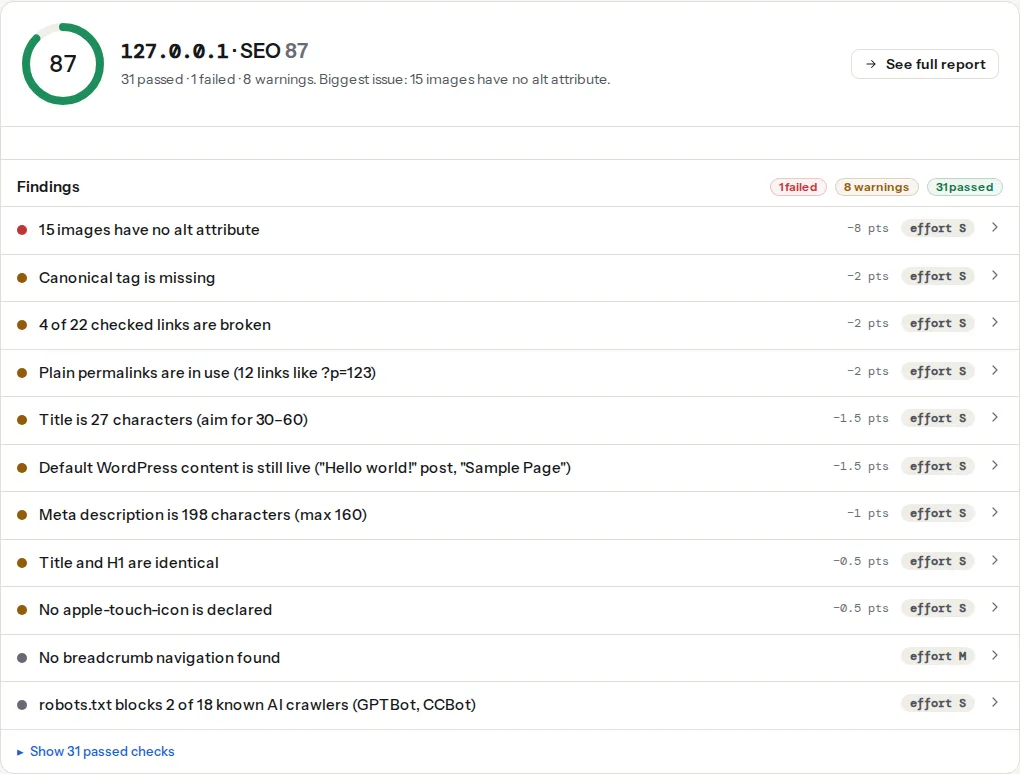
The broken link checker runs the same report and requests each link (up to 100 on your site and 50 to other sites), so you also see which internal links are dead and which go through a redirect:
The links table under the findings lists each link with its anchor text, which is the fastest way to spot "click here" and "read more" on a page.
Note
Both tools look at one page. Finding the pages on your site that receive no links needs a crawl of the whole site, which is a funded unlock on the funding page. Until then, Search Console's Links report (Links → Internal links, sorted ascending) shows the least-linked pages Google knows about.
Step by step
1. Count what you have on three templates
Run the audit on the home page, a category or hub page, and a typical leaf page (a product, a post, a service). The count on the leaf page is the one to watch: subtract the links the navigation and footer contribute (the same on every page) and what remains is how many links the page itself adds. On most sites the honest answer is zero to two, which is where the work starts.
The ceiling matters on the other two. A category page with 400 links, most of them from a filter panel and a mega menu, spreads its signal so thin that each product gets almost nothing, and Google may not follow all of them. Google's guidance on links it can crawl covers what counts as a link at all: <a href="…"> with a real URL, not a <span onclick> or a button that navigates with JavaScript.
2. Decide which pages matter most
Internal links are a budget. Before adding any, list the ten to twenty pages the site exists for: the pages that sell, convert or bring the search traffic. Those are the pages that should receive the most links, from the most places, with the clearest anchors. Everything else (the privacy policy, the login page, the author archive) should be reachable but not promoted.
The usual shape is hub and cluster: a hub page on a broad topic (/leather-care/) linked from the navigation, and cluster pages on specific questions (/leather-bag-cracking/, /cleaning-suede/) that each link to the hub and to two or three siblings. The hub links to every cluster page. Google sees a tightly connected group about one topic, and a visitor who lands on any page can reach the rest.
3. Add links inside the text, where they count most
A link surrounded by relevant sentences is worth more than the same link in a menu or a footer, both to Google and to the reader who is in the middle of the topic. The first paragraph of a post can link to the hub; the body links to sibling pages where they are genuinely useful; a short "related" list at the end catches the rest.
In HTML, the only requirement is a real anchor with a real address:
<p>Cracking usually starts with dry leather; the
<a href="/leather-bag-care/">leather bag care guide</a> explains conditioning
before it gets that far.</p>
Anchor text should describe the target, in words a reader would search for, and vary naturally between pages. "Leather bag care guide", "how to condition a leather bag" and "caring for leather" pointing at the same page are all fine. Fifty identical anchors are not harmful, just less informative than fifty natural ones. Avoid anchors that describe the action ("click here", "read more", "this post") and anchors that are a full sentence. Two to six words is the norm.
4. Link new pages from old ones
The step most sites skip. A new page starts with no links, no history and no traffic. Its category page links to it, which is one link from a page that already has hundreds. Meanwhile the site has old pages that rank, get visitors and have not been touched in years.
When you publish, open three to five existing pages on related topics, the ones with the most traffic first, and add a sentence with a link to the new page where it fits. Google recrawls popular pages often, so it finds the new link quickly, and the new page receives signal from pages that have it to give. A calendar reminder to do this for every new page pays for itself.
5. Use the structural links you already have
Three page elements produce good internal links automatically once set up:
- Breadcrumbs (
Home › Shop › Bags › Weekender) link every page to its parents with descriptive anchors and tell Google the hierarchy. AddBreadcrumbListstructured data and they show in search results too. - Related posts and products, chosen by category or tag rather than at random, give every leaf page three to six sibling links.
- Category and tag pages link to everything in them. Keep the ones that hold a real group of pages and drop the tags used once, which link to one page and dilute the rest.
Navigation is the fourth, and the one to keep short. Every link in the header appears on every page, so a 120-link mega menu adds 120 links to every count and makes each of them worth less. Put the ten to fifteen most important pages there and let hubs and breadcrumbs do the rest.
6. Fix links that redirect or break
The broken link checker lists internal links that answer 404 (dead) and links that go through a redirect (working, but leaking a round trip and a little signal on every click). After a domain move, an https switch or a slug change, most internal links redirect until someone updates them. Change each to the address in the "Redirects to" column. Find and fix broken links shows the bulk methods.
7. Never nofollow your own links
rel="nofollow" tells Google not to pass signal through a link. On an internal link it wastes signal you own and can leave the target weakly crawled. Some sites add it to the login, cart or privacy links to "sculpt" where signal goes; Google has treated nofollow as a hint since 2020, so it does not even work reliably. If a page should stay out of search, use noindex on that page; if it should not be crawled at all, use robots.txt. Links stay plain.
Platform notes
WordPress
Header and footer links are under Appearance → Menus (or the Site Editor's Navigation block); keep the main menu to the pages that matter. Related posts come from the theme, Jetpack or a plugin such as Yet Another Related Posts Plugin; pick one that selects by category or tag, not at random. Yoast SEO shows a text link counter (internal links in and out) as two columns in the Posts list, which makes orphans visible without a crawl; Yoast Premium and Rank Math (Link Suggestions, enabled per post type under Titles & Meta) suggest pages to link to while you write. Breadcrumbs are built into Yoast, Rank Math and most themes; enable one, not two.
For links inside content, the block editor's link tool (Ctrl/Cmd+K) searches existing pages by title, so linking to a page is faster than typing its address and avoids linking to a redirected one.
Shopify
Menus are under Online Store → Navigation. Product pages can link to collections and to other products in the description (the rich text editor's link tool), and most themes have a "related products" or "complementary products" section driven by the Search & Discovery app. Blog posts are the natural place to link to products; the reverse (product → buying guide) is worth adding by hand for the top sellers.
Static sites / custom
Related-page lists are a template feature: a list of the three most recent pages with the same tag is a few lines in most generators. Breadcrumbs come from the folder structure. Orphans are easy to find by grepping the built site for links to each page and listing the pages with none.
Verify
- The audit's internal links finding passes on all three templates with counts between 3 and 300, and the leaf page's count is at least three higher than the navigation and footer alone provide.
- The broken link checker shows "All N checked links work" and "No link on the page goes through a redirect" on the pages you edited.
- The links table shows anchor text that names the target page; no "click here", no "read more" on links that matter.
- In Search Console, Links → Internal links: the pages you care about are near the top, and the new pages you linked appear within a few weeks. Pages you cannot find in the list are orphans.
Common mistakes
- Relying on the menu. Every page links to every other page via a 150-item mega menu, so the count passes, but no page has a single link in its text. Cut the menu to the essentials and link from content.
- "Read more" everywhere. Blog indexes and card grids link with the same two words on every card. Make the card's title the link, or add the title to the link's text.
- Publishing and forgetting. New pages with zero links from old content sit unindexed for months. Link from three to five existing pages on the day you publish.
- Linking to the old address. After a slug change, the content still links to the old URL, which redirects. Update the links; the redirect is for other sites, not your own.
- Nofollow on internal links. Signal you own thrown away. Remove the attribute; use
noindexfor pages that should not rank. - Every page links to the home page ten times. Logo, "Home" menu item, breadcrumb, footer. Harmless, but the home page does not need the help; the pages that need links are the ones nobody thinks to link to.