See what AI does with your WordPress site
Which AI crawlers really visit, which AI assistants send you visitors, and how quotable every post is. With one-click fixes, each with Undo. Free, with no Pro version and nothing locked.
WordPress 6.2+ · PHP 7.4+ · tested up to WordPress 7.1 · GPLv2 · What’s new
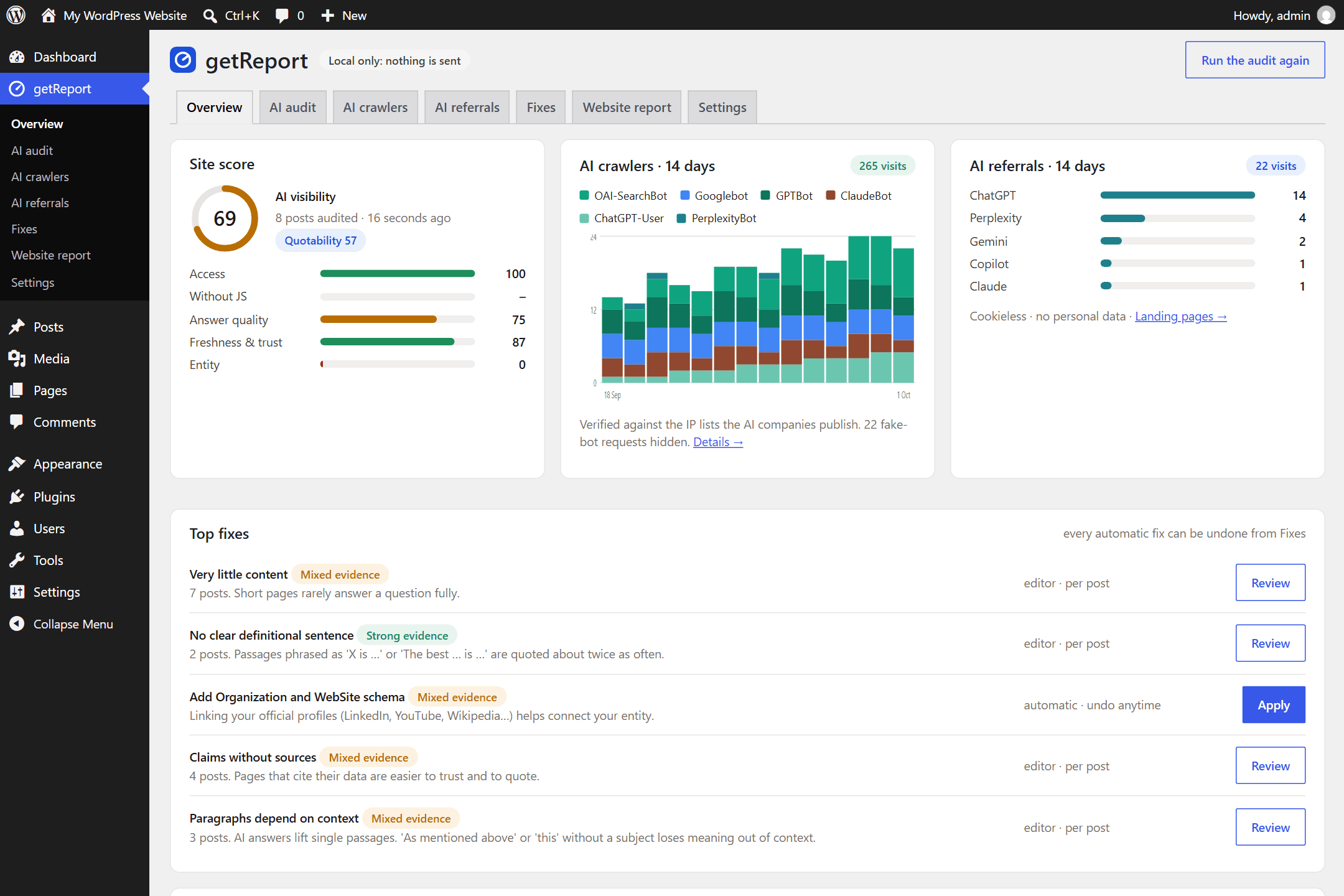
Everything runs on your site
The audit, the editor panel, crawler and referral tracking all work without sending anything anywhere. Your post content never leaves WordPress. You choose if and when to connect to getreport.app for your website report. Exactly what is sent, and when.
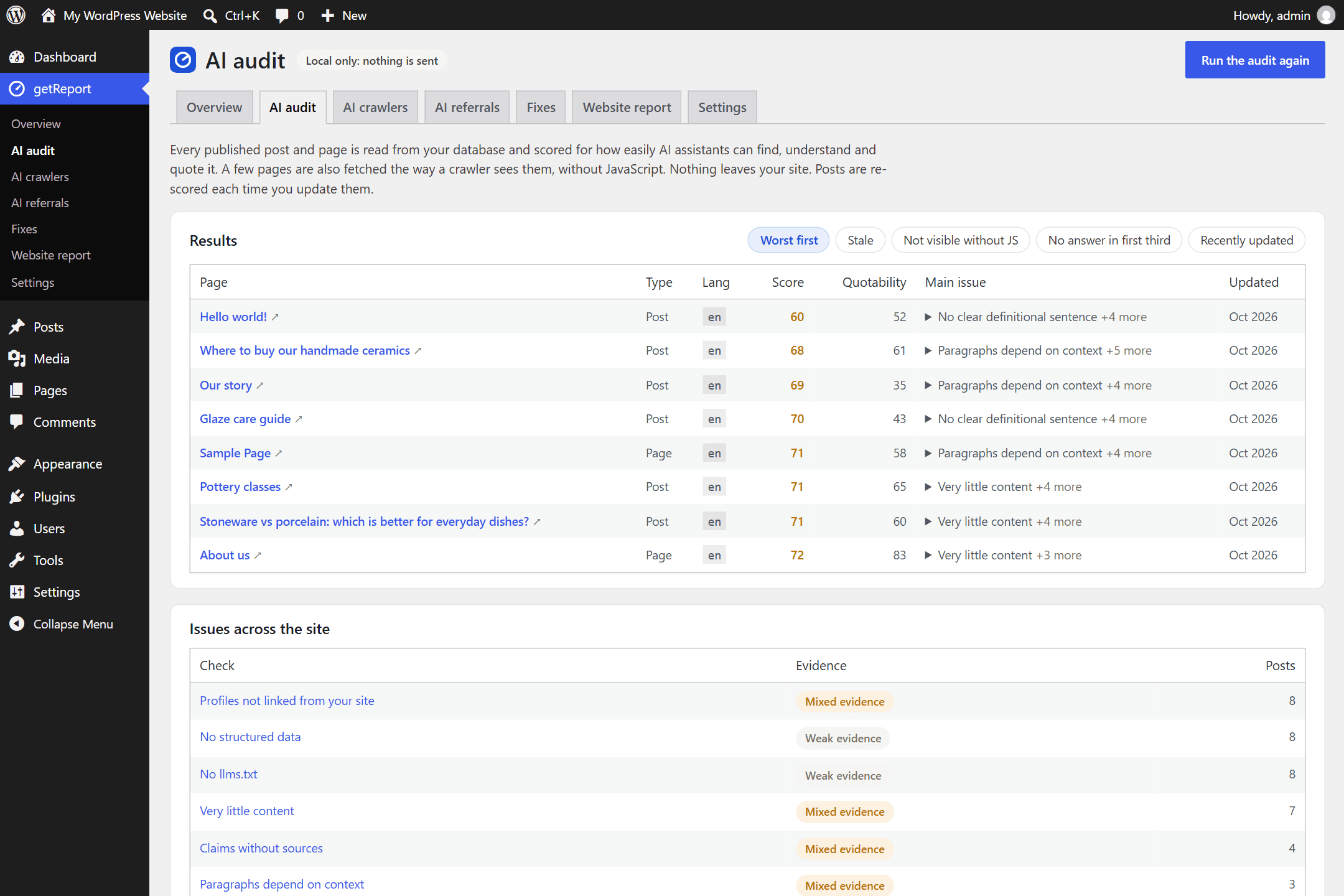
An AI audit of every post
Every published post and page is scored on your own server for how easily ChatGPT, Perplexity, Claude and Google’s AI can find, understand and quote it: is the answer near the top, are there facts, are the headings questions, does the page show a date and an author, can crawlers read it without JavaScript. Each finding says why it matters, how strong the evidence is, and what to do.
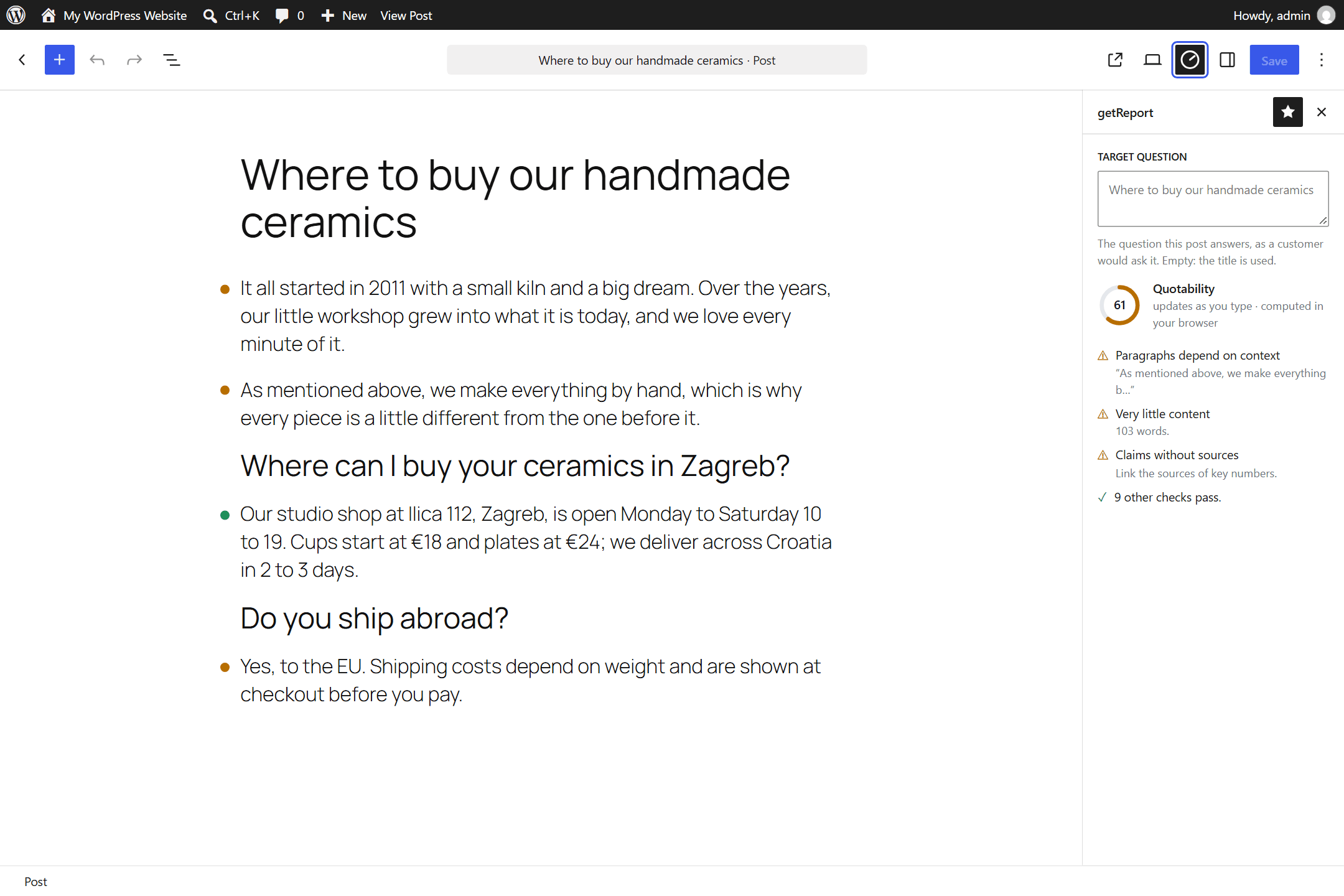
A score while you write
A getReport panel in the block editor scores the post as you type, in your browser. A dot beside each paragraph shows which ones an AI assistant would quote, and the panel says what to change. Your text never leaves the site.
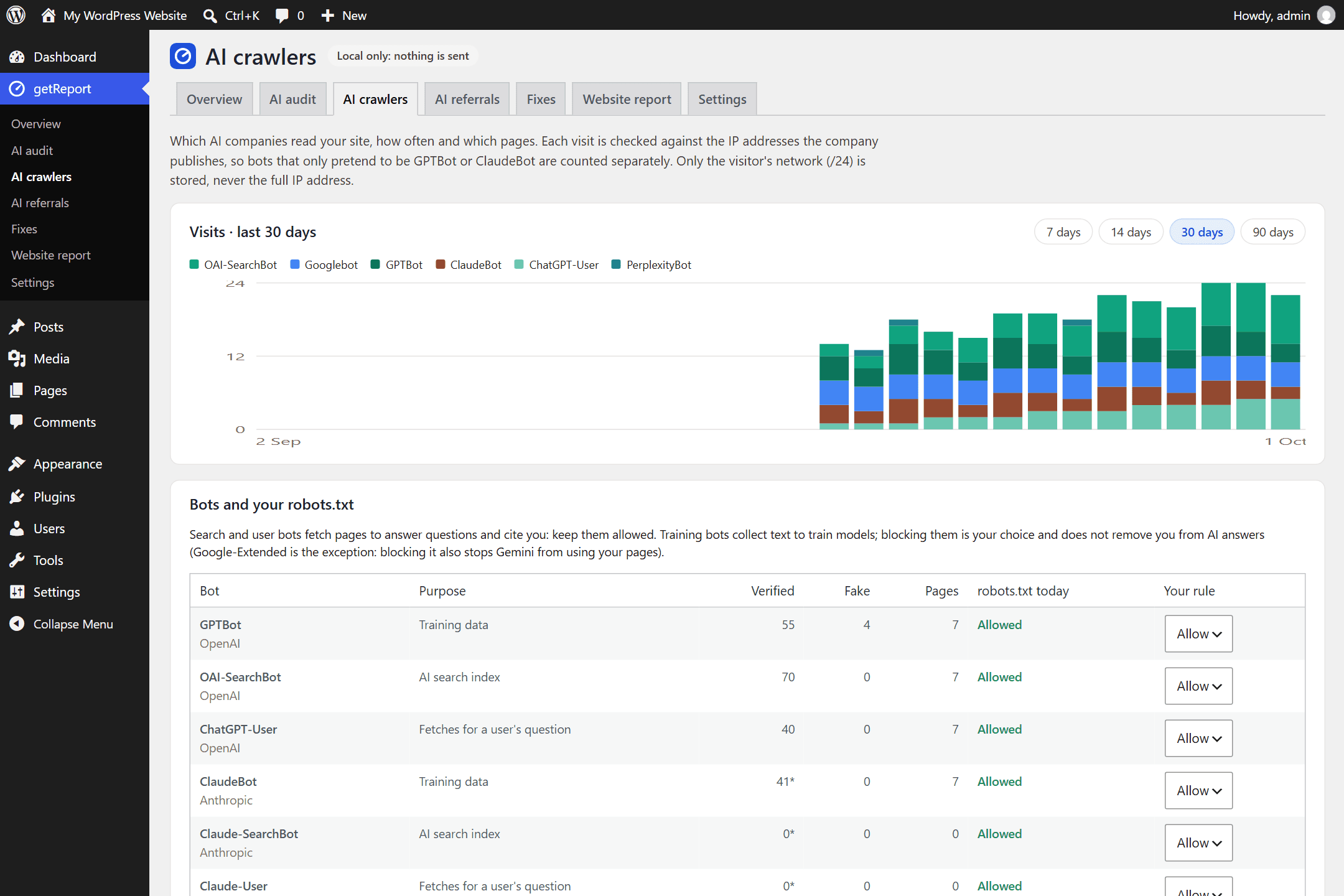
AI crawlers, verified
GPTBot, OAI-SearchBot, ChatGPT-User, ClaudeBot, PerplexityBot, Google-Extended and more: visits per day, the pages they read, and the errors or blocks they got. Each visit is checked against the IP addresses the company publishes, so bots that only pretend to be GPTBot are counted separately. Choose per bot what robots.txt allows, test whether a firewall turns AI bots away, or import your server log when a cache hides visits.
Visitors from AI assistants
How many people ChatGPT, Perplexity, Gemini, Copilot and Claude send you, and to which pages. Off until you turn it on. A script under 1 KB runs only for those visitors, with no cookies, no IP address and no user id, so no consent banner is needed.
One-click fixes, each with Undo
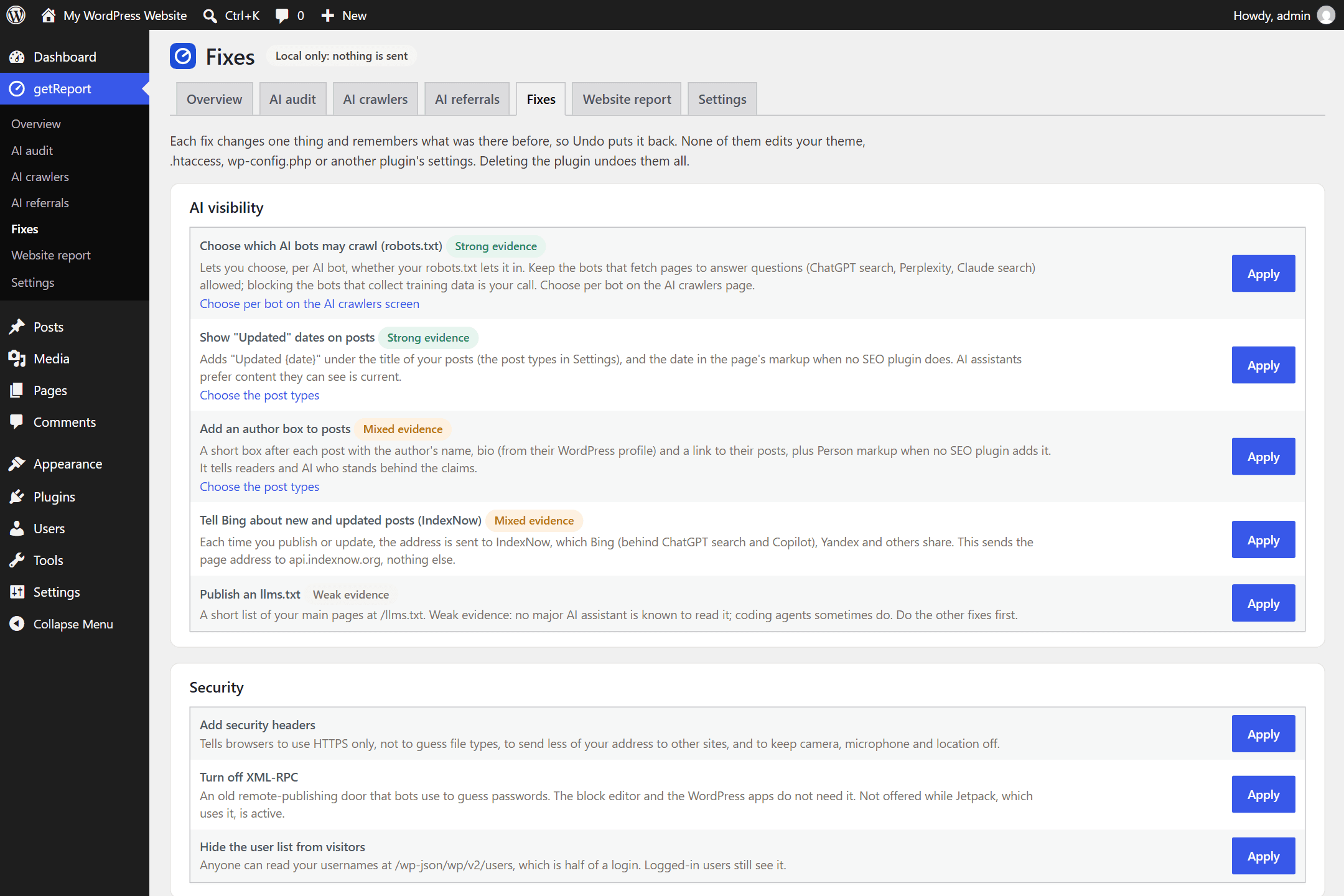
“Updated” dates on posts, an author box, AI bot rules in robots.txt, IndexNow for Bing, your organisation’s facts as structured data, security headers and more. Each fix remembers what it replaced, Undo puts it back, and the plugin never edits your theme, .htaccess or wp-config.php.
What others charge for, or don’t do
getReport doesn’t replace Yoast, Rank Math or your other SEO plugin, and when one of them already prints schema or an llms.txt, getReport steps aside. It adds what they leave out. In the big SEO plugins, the AI features are mostly in paid plans (Yoast SEO AI+ is $358.80 a year).
| Feature | getReport | Typical SEO plugins (September 2026) |
|---|---|---|
| AI crawler visits, checked against published IP lists | Free | Usually not offered; some count user agents only |
| Visitors from AI assistants | Free, cookieless | In paid plans, when offered |
| A quotability score while you write | Free, in your browser | Paid AI writing credits, when offered |
| Can AI crawlers read the page without JavaScript? | Checked in the audit | Rarely checked |
| Is a firewall or CDN blocking AI bots? | One-click test | Not offered |
| llms.txt | Optional, labelled weak evidence | Promoted as an AI feature |
Start in three steps
Install
In WordPress, go to Plugins → Add New Plugin, search for getReport, then install and activate it.
Run the audit
Open getReport in the left menu and click Run site audit. It reads your posts on your own server.
Fix and connect
Apply the top fixes, turn on referral tracking if you like, and connect to getreport.app for your website report.
Help and support
The documentation covers every screen, every fix, Connect, privacy and the common problems. If something doesn’t work, ask in the support forum on WordPress.org with your plugin and WordPress versions (Settings → Advanced in the plugin). All the ways to get help. The plugin is free and funded by donations.