An orphan page is a page on your site that no other page links to. It may be in the sitemap, it may still rank, it may even still sell, but nothing on the site points at it, so visitors cannot find it and crawlers rarely return to it. This guide shows how orphans happen, how to find every one by comparing two lists you already have, and how to link each one back in or retire it properly. Budget an hour for a site of a few hundred pages.
Quick answer
- An orphan is a URL that exists (answers 200) but has zero internal links pointing at it. Search engines reach it only through the sitemap or old external links, and visitors not at all.
- Find them by subtraction: the list of pages you know about (sitemap, Search Console, analytics, logs) minus the list of pages a crawl of your site can reach.
- Paste the difference into the bulk URL checker to see which candidates are live, redirected, gone or noindex before you spend time on them.
- For each live orphan, decide: link it (from a hub, a category, related posts or the body of a strong page), merge it into a better page, or retire it with a 301 or 410 and take it out of the sitemap.
- Re-run the report on a former orphan: the internal links finding should pass, and the sitemap validator should list only pages that answer 200.
Why orphan pages matter
Crawlers discover pages by following links. A sitemap is a hint that a URL exists; it does not replace links. Google's own guidance is that pages without internal links are crawled less often and are hard to rank, which is why "Discovered – currently not indexed" in Search Console is so often a list of orphans. A page that no page links to receives no ranking signal from the rest of the site, and every update you make to it waits for the next sitemap-driven visit.
For visitors the problem is simpler: the page does not exist. Nobody browsing your site will arrive on it. The only traffic it gets comes from search, old bookmarks and links from other sites, and that traffic lands on a page nobody maintains.
That is the third cost. Orphans are the pages that fell out of the site's normal life, so they are the ones with the 2023 price, the ended promotion, the old phone number, the plugin nobody updated. A campaign landing page that still ranks for your brand plus "discount" and promises a code that expired two summers ago is an orphan doing active damage.
How pages become orphans
- Campaign and ad landing pages built for a paid campaign, linked from the ad and nothing else, and left published when the campaign ended.
- Products removed from every category but not deleted, common in shops where a product is "unassigned" rather than retired.
- Pages unlinked from the menu during a redesign: the page stayed, its only link did not.
- Migrations that copied every page but rebuilt the navigation from scratch.
- CMS side doors: tag archives with one post, author pages, attachment pages, old paginated archives.
- Deleted hub pages: when a resources page goes, every page it linked to becomes an orphan at once.
How getReport checks it
A getReport report is a report on one page, and orphans are a site-level question, so no single finding says "this page is an orphan". What the tools give you is both sides of the comparison and a fast way to triage the result.
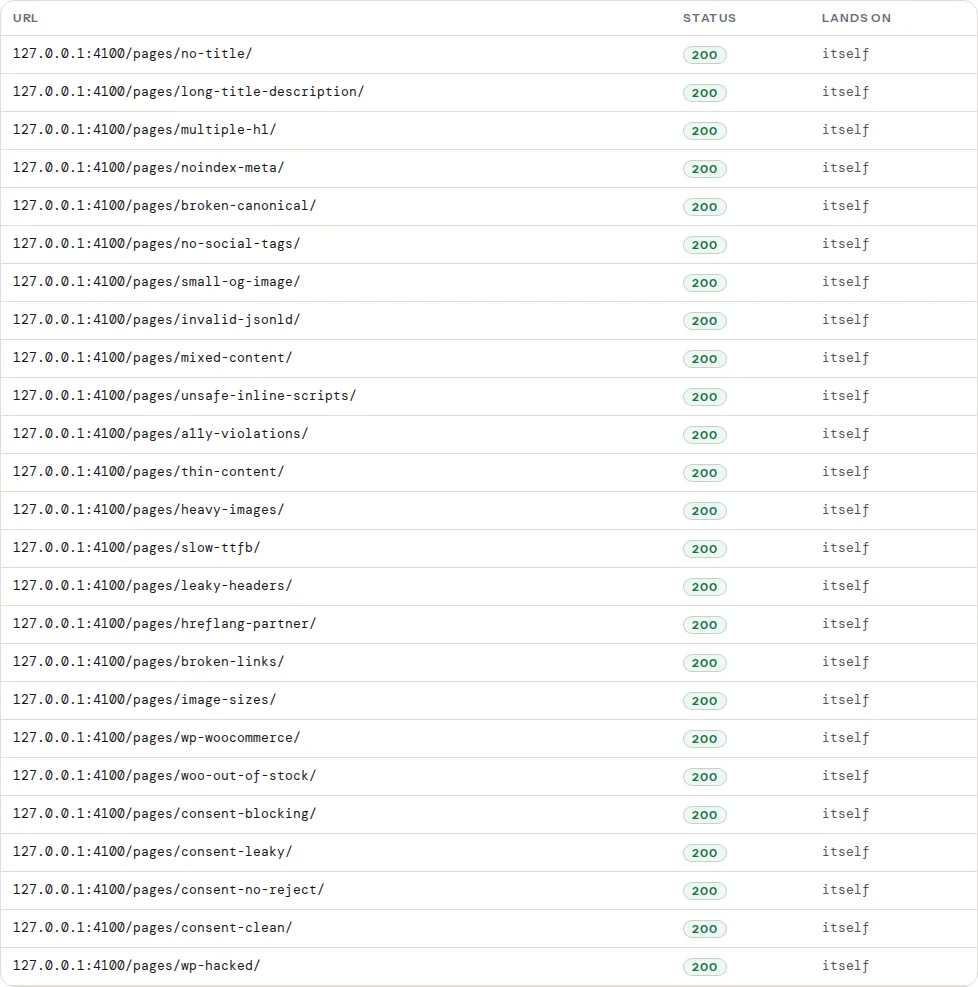
The sitemap validator fetches every sitemap your site declares (up to three from robots.txt plus /sitemap.xml), counts the URLs, and requests a sample of up to 25 of them, spaced evenly through the file, to confirm each answers 200 without redirecting. On a sitemap index it samples the first child sitemap that lists pages. The sample is not a full crawl, but it is a quick read on how much of the sitemap is stale:
Three findings from the SEO module are the ones to read for this job:
Run it on a suspected orphan. An orphan that is also missing from the sitemap is invisible from both directions: no link reaches it and no file lists it. The finding is informational (it does not cost points) because many good reasons exist for a page to be left out; for a page you want indexed, it is the first thing to fix.
This counts links from the page you ran, not links to it, so it answers the mirror question. Orphans are usually dead ends as well: a landing page with a form and no navigation has nothing pointing at it and points at nothing. Under 3 unique same-host links is the warning threshold; above 300 warns in the other direction.
Sitemap entries that redirect or answer 404 are the pages that were removed or moved without a decision. They are not orphans (they are gone) but they come from the same cause, and the fix below covers both.
Step by step
1. Build the list of pages you know about
Collect URLs from every source that remembers pages, then de-duplicate them in a spreadsheet. The more sources, the fewer orphans slip through.
- The sitemap. The validator shows which files exist and how many URLs each holds. To extract the list, open the file in a browser and copy the
<loc>values, or from a terminal:
curl -s https://example.com/sitemap.xml | grep -o '<loc>[^<]*</loc>' | sed 's/<\/*loc>//g' > sitemap-urls.txt- Search Console. Pages report → Export. Take both the indexed and the not-indexed tables; "Discovered – currently not indexed" and "Crawled – currently not indexed" are rich in orphans.
- Analytics. Landing pages for the last 12 months. Anything that still gets visits is worth a decision, orphan or not.
- Server logs. Drop an access log in the log analyser; the URLs Googlebot fetched most include pages you forgot exist, and nothing leaves your browser.
- The CMS itself. WordPress: Pages → All, Posts → All, plus products. This is the only list that includes pages Google never found.
2. Build the list of pages a crawl can reach
A crawler starts at the home page and follows links, so its result is, by definition, the set of non-orphans. Screaming Frog's free tier crawls up to 500 URLs and shows an "Inlinks" count per page; Sitebulb and Ahrefs Webmaster Tools do the same. Export the internal HTML URLs.
For a site under 100 pages you can do this by hand: open the home page, list every link, open each, repeat. It takes 20 minutes and you will learn things about the navigation.
3. Subtract, then triage with the bulk checker
In the spreadsheet, put the known list in column A and the crawled list in column B, and flag every A that has no match in B (=COUNTIF(B:B, A2)=0). The flagged rows are your orphan candidates.
Before touching any of them, paste the candidates into the bulk URL checker (up to 1,000 per run). It requests each one like a search engine would and labels the row:
| Row label | What it means for an orphan candidate |
|---|---|
| OK | A live page with no internal links: a real orphan, decide in step 4 |
| Redirect / Redirect chain | Already moved; make sure the sitemap lists the final URL, then drop it from the list |
| Not found | Already gone; remove it from the sitemap and from Search Console's memory by leaving the 404 |
| noindex | Deliberately hidden, or hidden by accident; check which |
| Unreachable | Timed out or refused; probably a dead subdomain or a broken page, look at it in a browser |
The Title and canonical columns help too: an orphan whose canonical points elsewhere is already handled, and a title like "Spring sale 2023" tells you what to do with it without opening it.
4. Decide, one page at a time
Three options per live orphan. Use the traffic and backlink columns from your sources to choose quickly.
| Situation | Do this |
|---|---|
| Useful page, still accurate, fits a section of the site | Link it (step 5) |
| Useful topic, but a better page on the same subject exists | Merge the unique content into the better page, then 301 the orphan to it |
| Outdated, campaign-specific or duplicate; no backlinks or traffic | Delete it: 410 (or 404) and remove it from the sitemap |
| Outdated but with backlinks or steady search traffic | 301 to the closest live equivalent, never to the home page |
| Should exist but never for search (thank-you pages, ad variants) | Keep it, add noindex, take it out of the sitemap |
5. Link the keepers back in
A single link makes the page reachable; three or four from the right places make it part of the site. In order of value:
- The hub it belongs to. A category, a service overview, a "resources" page. If no hub fits, the page probably belongs to step 4's merge row.
- Body text of related pages. Two or three sentences on a strong, related page with a descriptive anchor ("our delivery times for Croatia", not "click here"). These links pass the most context.
- Related-content blocks. Related posts, "customers also viewed", "see also". Automatic and site-wide, but only if the block is real HTML, not loaded later by JavaScript for logged-in users only.
- Navigation or footer, for pages that matter to every visitor. Not for the rest: menus with 200 links dilute everything.
The internal links guide covers how many links a page should carry and where they should sit.
6. Retire the rest properly
For each page you decided to remove, add the redirect or the 410 at the server, then remove the URL from the sitemap. If the CMS generates the sitemap, deleting or unpublishing the page does that for you; if the file is built by a script, rebuild it. Leaving removed pages in the sitemap is exactly what the sitemap-urls-status finding catches, and it teaches Google to trust the file less.
On nginx, in the server block:
# Merged into a better page
location = /spring-sale-2023/ { return 301 /sale/; }
# Gone for good
location = /webinar-signup-old/ { return 410; }
On Apache, in .htaccess at the site root:
Redirect 301 /spring-sale-2023/ /sale/
Redirect gone /webinar-signup-old/
7. Stop making new ones
Orphans come back unless the process changes. Two habits cover most of it: every new page gets at least one link from an existing page before it is published (a launch checklist item), and every campaign page gets an end date and an owner. When a hub page is deleted, its links move somewhere first.
Platform notes
WordPress
WordPress puts every published post and page in the sitemap, whether or not anything links to it, so the sitemap-versus-crawl comparison is especially revealing here. Pages built with a page builder for ads are the usual orphans; so are posts whose only category was deleted. Categories and tags are your cheapest hubs: a post in a category with a linked archive is never an orphan. Yoast SEO Premium has an "Orphaned content" filter in the posts and pages list that does the comparison for you inside the admin; the free version does not.
Two WordPress side doors produce orphan-like pages you did not write: attachment pages (one per uploaded image) and thin tag archives. The report's WordPress Doctor flags the first; for both, see WordPress attachment pages.
Shopify
A product that belongs to no collection is reachable only through /collections/all, which Shopify generates automatically and most themes do not link to. Assign every product to at least one collection that appears in the navigation, and check the Products list filtered by "Collection: none" after every catalogue clean-up.
Static sites and custom builds
Search the source for the path: grep -rn "/old-landing/" src/ content/ finds every link to it in seconds. A page with no hits in the source and no entry in the navigation config is an orphan by construction. Static generators that build the sitemap from the content folder will list it regardless.
Verify
- Run the report on a page you linked back in: the SEO audit should show it in the sitemap, and a crawl (or a re-run of your crawler) should now find it with at least one inlink.
- Paste the original orphan list into the bulk URL checker again. Every row should be OK (now linked), a single 301 to the page you chose, or 404/410. No chains, no redirects to the home page.
- The sitemap validator's sampled table shows only 200s, and the
sitemap-urls-statusfinding reads "All … sampled sitemap URLs return HTTP 200". - Over the following weeks, "Discovered – currently not indexed" in Search Console shrinks, and the pages you kept start appearing under "Indexed".
Common mistakes
- Treating the sitemap as the fix. Adding an orphan to the sitemap makes it discoverable, not linked. Google still sees a page the site itself does not vouch for. Add the link.
- Linking every orphan from the footer. Fifty footer links make the footer worthless and the orphans barely less orphaned. Link from the page where a visitor would look for it.
- Deleting orphans that rank. Check traffic and backlinks first. A page with links from other sites is an asset; merge or redirect it, do not 404 it.
- Redirecting retired orphans to the home page. Google treats that as a soft 404 and visitors are confused. Redirect to the closest equivalent or return 410.
- Doing it once. Orphans accumulate at the rate you publish campaign pages. Repeat the comparison after every redesign and every large content clean-up; a quarterly run takes fifteen minutes once the sheet exists. If a page you kept still does not appear in Google, the indexability checklist is the next stop.