An XML sitemap is the shortest route between "we published this" and "Google knows". It is also a file that nobody reads, so it breaks quietly: a plugin update changes the date format, a migration leaves the old domain in half the URLs, a staging copy publishes a sitemap full of noindex pages. Search Console eventually says "Couldn't fetch" or "Sitemap could be read, but has errors" and gives one line of detail. This guide runs the full validation, explains every error, and ends with the file Google wants.
Quick answer
- The file must be well-formed XML with the root
<urlset>(or<sitemapindex>) in the namespacehttp://www.sitemaps.org/schemas/sitemap/0.9. - Every
<loc>is an absolute URL on the same host, answering 200 directly (no redirect), for a page you want indexed. <lastmod>is a W3C date (2026-09-25or2026-09-25T10:00:00+02:00), and it is honest.- At most 50,000 URLs and 50 MB per file; more than that goes into a sitemap index.
- Declare it in robots.txt with
Sitemap: https://example.com/sitemap.xmland submit it once in Search Console. - Run the sitemap validator to check all of it in one pass.
Why a valid sitemap matters
Google discovers most pages by following links, and a sitemap adds two things: pages that no link reaches yet (a new post, a deep product) and a date that says "this changed". Both only work if the file parses. A single malformed date can make a strict parser reject the file, and Google's parser is strict about the protocol even though it is lenient about many other things.
Trust is the second issue. Google uses the sitemap as a signal of what you consider canonical and worth indexing. A sitemap that lists redirects, 404s and noindex pages teaches it to weight the file less, and then the lastmod hints on the pages you care about are weighted less too. Keeping only live canonical URLs in it is worth more than any <priority> value (Google ignores priority and changefreq entirely).
How getReport checks it
The report finds sitemaps the way crawlers do: the Sitemap: lines in robots.txt (up to three) and the default /sitemap.xml. Each is fetched, gunzipped if it is a .xml.gz file, and parsed with a strict XML parser, so a stray & or an unclosed tag is reported as "not well-formed" instead of being silently skipped.
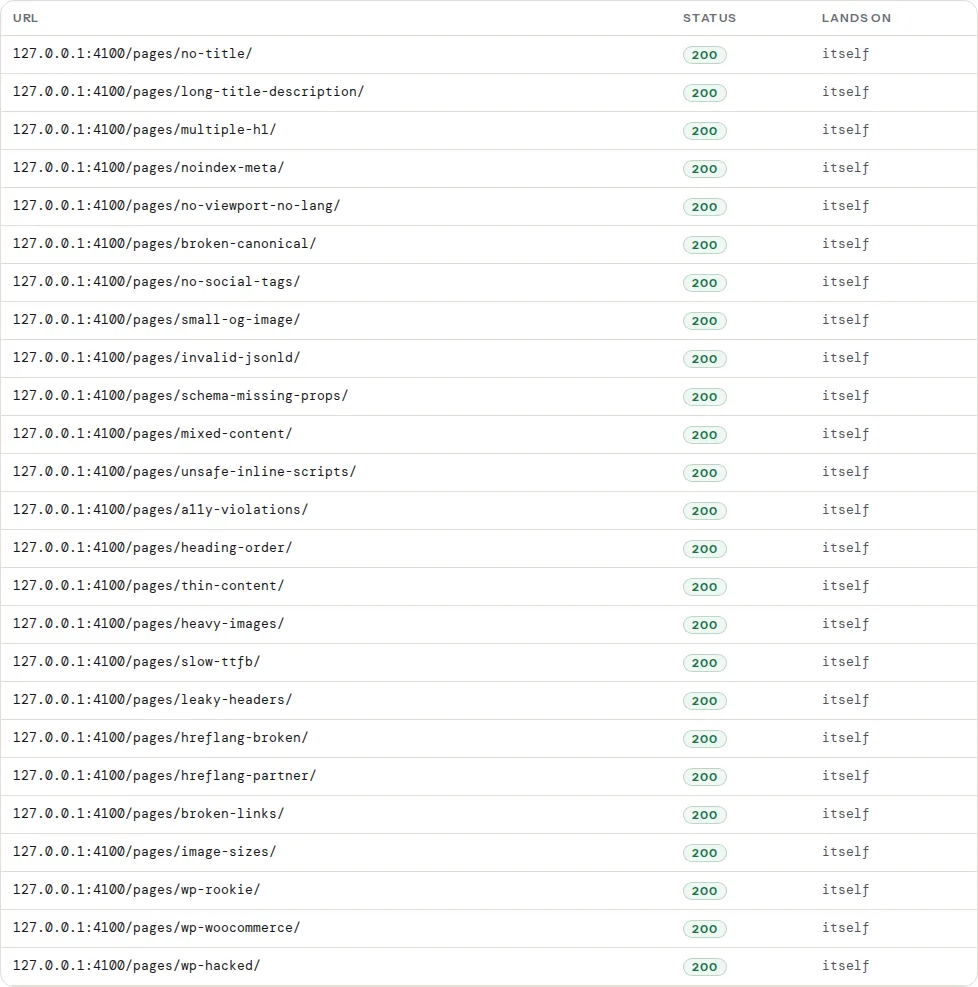
Then up to 25 listed URLs, spread evenly across the file, are requested to see whether they answer 200 without redirecting:
And the page you tested is looked up in the file:
The first table lists every sitemap file with how it was found, its status, type (urlset or index), URL count, the lastmod range and the problems; the second lists the sampled URLs with their status and where they land.

The errors, one by one
"The XML is not well-formed"
The parser stopped at a syntax error. The usual causes:
- An unescaped
&in a URL:?a=1&b=2must be written?a=1&b=2inside XML. - A stray
<or>from a template that printed HTML into the file. - A PHP warning or a blank line before
<?xml; whitespace before the declaration is an error. - Two root elements because two plugins both wrote a sitemap to the same URL.
Open the file in a browser: most browsers show the exact line of the first error.
<?xml version="1.0" encoding="UTF-8"?>
<urlset xmlns="http://www.sitemaps.org/schemas/sitemap/0.9">
<url>
<loc>https://example.com/shop/?cat=shoes&sort=price</loc>
<lastmod>2026-09-20</lastmod>
</url>
</urlset>"The URL returns an HTML page, not XML"
/sitemap.xml is answered by the CMS's 404 page or a login page. Either the sitemap is elsewhere (declare it in robots.txt) or the rewrite rule that serves it is missing. In WordPress this happens when permalinks are set to "Plain": the sitemap URL depends on rewrite rules. Save Settings → Permalinks once to regenerate them.
"Root element is …; expected urlset or sitemapindex" and "declares no xmlns"
A sitemap generated by a template that forgot the namespace, or an RSS feed served at the sitemap URL. The root must be exactly:
<urlset xmlns="http://www.sitemaps.org/schemas/sitemap/0.9">For an index file:
<sitemapindex xmlns="http://www.sitemaps.org/schemas/sitemap/0.9">
  <sitemap><loc>https://example.com/post-sitemap.xml</loc></sitemap>
  <sitemap><loc>https://example.com/page-sitemap.xml</loc></sitemap>
</sitemapindex>
" values are not absolute http(s) URLs"
/about/ instead of https://example.com/about/. Sitemaps have no base URL; every location is absolute, with the scheme.
"URLs are on another host"
The file lists http:// URLs on an https:// site, www on a bare-domain site, or the staging domain after a migration. Google only accepts cross-host URLs when the sitemap is declared in that host's robots.txt, so in practice these entries are ignored. Regenerate the file after changing the site URL; in WordPress that means Settings → General → Site Address is correct and the SEO plugin's sitemap cache was cleared.
" values are not W3C dates"
01/09/2026, Sep 1, 2026 and Unix timestamps are all invalid. Use YYYY-MM-DD, optionally with a time and timezone: 2026-09-01T09:30:00+02:00. Also keep it honest: a lastmod that is "now" on every page on every crawl teaches Google to ignore it, which is worse than leaving it out.
"changefreq" and "priority" problems
Google ignores both, so a wrong value costs nothing in ranking, but it still makes the file invalid for strict parsers. changefreq is one of always hourly daily weekly monthly yearly never; priority is 0.0–1.0. Removing both is the simplest fix.
"URLs listed more than once" and "lists no URLs"
Duplicates usually come from two plugins or a category listed under two paths; pick one. An empty sitemap is often a caching problem: the generator ran before any page was published, and the file was cached.
"N of M sampled sitemap URLs do not return HTTP 200"
The URLs in the file redirect (after a slash or https change), answer 404 (deleted pages still listed) or are blocked. Fix the generator so it lists the final URL of each page, and remove deleted pages. This finding is the one that most affects how Google treats the file.
"This page is not listed in the sitemap"
Informational: the page you tested is missing. Common reasons are a noindex setting (correct: it should not be listed), a post type excluded in the SEO plugin, a draft, or the page being older than the generator's limit.
Sitemap indexes and gzip
Above 50,000 URLs or 50 MB, split into several files and list them in a <sitemapindex>. Most CMSs do this automatically (Yoast: post-sitemap.xml, page-sitemap.xml; WordPress core: wp-sitemap-posts-post-1.xml). Gzipped files (sitemap.xml.gz) are fine; the validator decompresses them. The URL count limit applies per file, not per index.
Declaring the sitemap
Two lines cover every crawler:
# robots.txt
User-agent: *
Disallow: /wp-admin/

Sitemap: https://example.com/sitemap.xml
The Sitemap: line takes an absolute URL and can appear several times. Then submit the same URL once in Search Console → Sitemaps; Google re-fetches it on its own afterwards. See robots.txt: test it before it hides your site.
Platform notes
WordPress. Core ships /wp-sitemap.xml; Yoast and Rank Math replace it with /sitemap_index.xml or /sitemap.xml. Only one should be active (the SEO plugins disable core's automatically). Exclude attachment pages and tag archives you do not want indexed; each is a noindex page in the sitemap otherwise. See Attachment pages: stop indexing your image pages.
Shopify. /sitemap.xml is an index generated by Shopify; you cannot edit it, but hidden products and unpublished pages are excluded automatically.
Static sites. Hugo, Astro and Next.js generate sitemaps from the page list at build; the lastmod should come from the content's date, not the build time.
Verify
- The validator lists the file as "valid" with the expected URL count and a plausible
lastmodrange. - Every sampled URL answers 200 and "lands on itself".
- Search Console → Sitemaps shows "Success" with the discovered URL count matching yours, after the next fetch.
Common mistakes
- Listing everything. Tag archives, paginated pages,
noindexpages, filtered URLs. The sitemap is for pages you want indexed. - Faking lastmod. Setting it to the current time on every request. Google learns to ignore it.
- Leaving the staging domain in the file after go-live. Regenerate and clear the cache.
- Two sitemaps at two URLs, each declared somewhere, with different contents. Pick one, redirect or delete the other.
- Redirecting the sitemap URL itself.
/sitemap.xml→/sitemap_index.xmlworks but adds a hop on every fetch; declare the final URL in robots.txt. - Forgetting to declare it. Without the robots.txt line and a Search Console submission, Google may never fetch it.