AMP was Google's answer to slow mobile pages: a restricted flavour of HTML that Google could cache and serve from its own servers, in exchange for a place in the Top Stories carousel. That deal ended in 2021. What is left is a second copy of every page, with its own analytics, its own consent flow and its own bugs, that no longer buys anything. This guide helps you decide whether your AMP pages still earn their keep, and if not, removes them in an order that keeps the traffic they were carrying.
Quick answer
- Since June 2021 any page that passes Core Web Vitals is eligible for Top Stories; AMP is not required there or in Google News, and the AMP badge in results is gone.
- Keep AMP only if your regular mobile pages are slow and you cannot fix them soon, or if an ad or syndication setup you depend on is built on it.
- Remove it in this order: make the canonical pages pass Core Web Vitals on mobile, remove the
<link rel="amphtml">tags, redirect every AMP URL to its canonical with a 301, then remove the plugin or templates. - Watch Search Console's AMP report empty out over a few weeks; that is normal, not a loss.
- The SEO audit reports whether a page is AMP or links to an AMP version; after removal the finding disappears.
Why AMP matters less than it did
AMP solved a real problem in 2016: mobile pages that took ten seconds to show a headline. It did so by forbidding most JavaScript, by requiring fixed dimensions for every image and embed, and by letting Google serve the page from its own cache. Publishers accepted the constraints because the Top Stories carousel on mobile required AMP, and for a news site that carousel was a large share of traffic.
Three things changed. In 2021 Google's page experience update made any page eligible for Top Stories, provided it met Core Web Vitals and the other page experience criteria, and dropped the lightning-bolt badge from results. Google News dropped the requirement at the same time. And the AMP cache, which served your page from a google.com/amp/… URL with Google's bar on top, became something visitors and publishers disliked enough that a whole technology (Signed Exchanges) was built to show the original URL again.
What has not changed is the cost. Every article exists twice. Analytics runs through amp-analytics with its own configuration, so numbers from the two versions have to be reconciled. Consent runs through amp-consent, a second banner to keep legally correct. Any interactive feature needs an AMP component or amp-script with its sandbox limits. And a fast regular page today gets the same treatment from Google as an AMP page, which removes the last reason to pay for two.
How getReport checks it
The audit detects AMP in two ways and reports both in one informational finding. An AMP document itself carries the amp (or ⚡) attribute on <html>; a regular page that has an AMP twin points at it with <link rel="amphtml">. The finding names which it saw, with the AMP URL, and carries no weight, because AMP is a choice rather than an error. It is hidden entirely on pages with no AMP signal, so its absence after removal is the confirmation. The AMP learn page is the one-paragraph version of this decision.
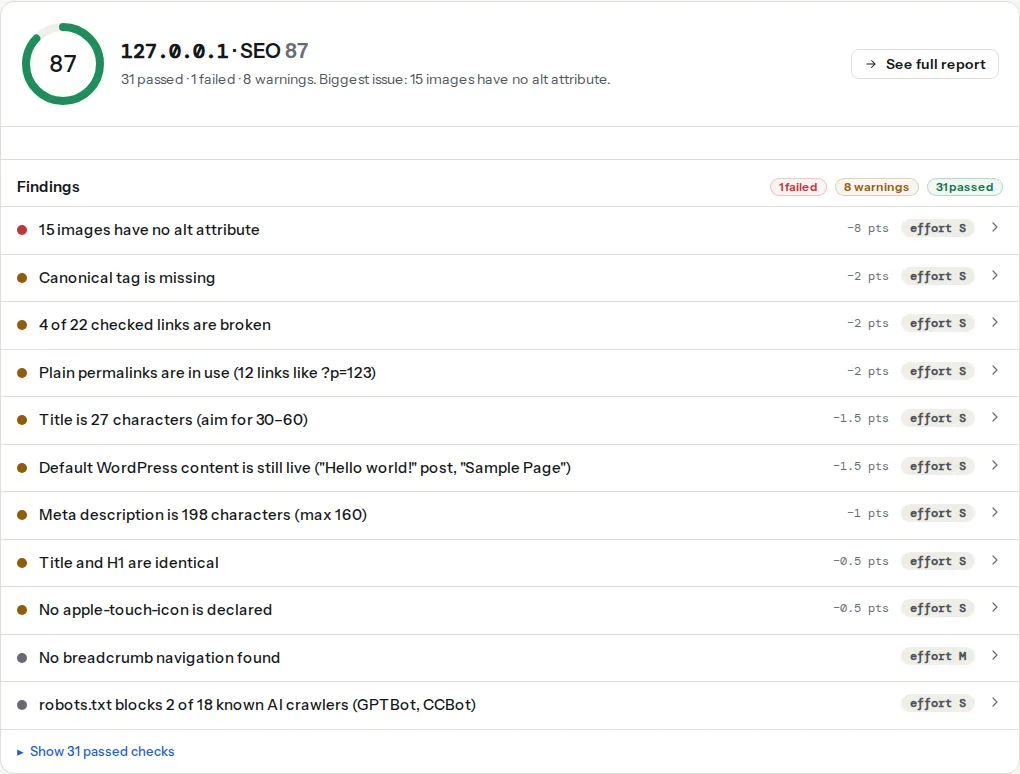
Two other findings decide whether removal is safe. The canonical finding matters twice: an AMP page must canonical to its regular version (the AMP spec requires it), and after removal the regular page must still carry a self-referencing canonical. And the LCP finding, from the speed module's mobile run, is the test the regular page must pass before AMP goes.
Step by step
1. Decide with numbers, not habit
Run the Core Web Vitals check on three or four representative canonical pages (an article, the home page, a category). Two results settle the decision:
- The regular pages pass (LCP ≤ 2.5 s, INP ≤ 200 ms, CLS ≤ 0.1 at the 75th percentile): AMP is giving you nothing. Remove it.
- The regular pages fail: fix them first; the AMP versions are currently the only fast thing you serve to mobile. How to fix Largest Contentful Paint is usually where the time goes, and the pattern AMP forced (fixed image dimensions, no render-blocking scripts, no third-party JavaScript above the fold) is exactly what a fast regular page does.
Then look at Search Console → Performance with the "AMP" search appearance filter. If AMP results carry a large share of clicks, plan the removal for a quiet week and expect a few days of noise while Google switches over. If the share is small, there is nothing to plan.
2. Make the canonical pages fast on mobile
This is the real work and it is the same work whether or not AMP exists: a compressed, correctly sized hero image with fetchpriority="high", CSS that does not block the first paint, fonts with font-display: swap, third-party scripts deferred. Until this step is done, the rest of the guide waits.
3. Remove the amphtml links
On every regular page, delete:
<link rel="amphtml" href="https://example.com/article/amp/">Google follows this link to discover the AMP version. Without it, the next crawl of the regular page finds no AMP twin and the pair is dissolved. This step is reversible and harmless on its own; the AMP pages still work, they are just no longer advertised.
4. Redirect the AMP URLs
AMP URLs are in Google's index, in its AMP cache, in social shares and in people's history. A 301 to the canonical page carries all of that to the page you are keeping. Which URLs to redirect depends on how AMP was set up; the two common shapes are a /amp/ suffix and an ?amp=1 (or ?amp) query parameter.
nginx, in the server block:
# /article/amp/ → /article/
location ~ ^(.+?)/amp/?$ {
    return 301 $1/;
}

# /article/?amp=1 or ?amp → /article/ (query string dropped)
if ($args ~* "(^|&)amp(=[^&]*)?(&|$)") {
    return 301 $scheme://$host$uri;
}Apache, in .htaccess at the site root, before the CMS's own rules:
RewriteEngine On
RewriteRule ^(.*)/amp/?$ /$1/ [R=301,L]
RewriteCond %{QUERY_STRING} (^|&)amp(=[^&]*)?(&|$)
RewriteRule ^(.*)$ /$1? [R=301,L]
The trailing ? in the last rule strips the query string. In WordPress the Redirection plugin does the same from the admin: add a rule with "Regex" ticked, source ^/(.*)/amp/?$, target /$1/.
Test one URL with the redirect checker: one hop, status 301, landing on the canonical page. Google's own procedure for this is in its guide to removing AMP from Google Search, and it says the same: remove the link, then redirect or remove the AMP pages.
5. Remove the plugin or the templates
Now that nothing links to or serves AMP, remove what generated it. Keep the redirects in place permanently; they are cheap and the old URLs never fully disappear from the web.
Check analytics the next day. AMP pageviews reported through amp-analytics drop to zero and the same visits appear on the canonical pages through your regular tag. If the total falls, the redirect is missing a URL shape; look at the server logs or Search Console's Pages report for 404s ending in /amp/.
6. Watch Search Console
The AMP report under Experience (or Enhancements, depending on the property) shows the number of valid AMP pages falling as Google recrawls, first to "Redirect error"-style statuses and then to nothing. That is the expected shape. Clicks in the Performance report move from the AMP search appearance to the regular one. Give it three to four weeks before judging the effect on total traffic.
Platform notes
WordPress with the official AMP plugin
The plugin has three modes, and removal differs by mode:
- Reader and Transitional modes serve separate AMP URLs (
?amp=1in current versions;/amp/on sites that set it up years ago). Add the redirects from step 4, deactivate the plugin, then delete it. - Standard mode has no separate URLs: the regular page is the AMP document, and the audit reports
<html amp> document. Deactivating the plugin returns the theme's normal output at the same URLs, so there is nothing to redirect. Check the page afterwards: features the plugin was suppressing (sliders, third-party embeds, some widgets) come back, and Core Web Vitals can get worse until you tidy them.
The "AMP for WP" plugin uses /amp/ URLs and has its own settings screen; the removal order is the same.
News sites with ad stacks tuned for AMP
If amp-ad configurations, header bidding through Real Time Config or a syndication partner require AMP, removal is a project rather than an afternoon. The steps above still apply; add a step 0 in which the ad setup is rebuilt for the regular pages and its revenue compared on a sample of articles before the switch.
Static sites and custom setups
AMP was usually a second template. Delete the template, the /amp/ output directory and the amphtml link in the page layout, then add the redirects in the host's rules (_redirects on Netlify, vercel.json on Vercel).
Verify
- The SEO audit on a regular page shows no AMP finding at all; the canonical finding passes and its technical detail shows the page's own URL.
curl -sI https://example.com/article/amp/ | head -1prints a 301, and thelocationheader is the canonical page.curl -s https://example.com/article/ | grep -c amphtmlprints 0.- The Core Web Vitals check on the regular page shows LCP, INP and CLS in the green.
- Search Console's AMP report trends to zero valid pages over the following weeks, while the Performance report's total clicks for the same pages stay level.
Common mistakes
- Removing AMP before the regular pages are fast. Mobile visitors go from a 1 s AMP page to a 6 s regular page, and Top Stories eligibility goes with it. Step 1 first.
- Deleting the AMP pages instead of redirecting. Thousands of
/amp/URLs turn into 404s: lost bookmarks, lost shares, a spike in Search Console errors. 301 them. - Redirecting all AMP URLs to the home page. Google treats that as a soft 404 and visitors lose the article they wanted. Redirect each URL to its own canonical.
- Leaving the
amphtmllink after the redirect. Google follows the link, hits the redirect, and reports an AMP error on every page until the link is gone. Remove the link first. - Forgetting the second analytics configuration. The AMP tag was reporting a share of the traffic; after removal, make sure the regular pages' tag and consent banner cover it, or the drop in the dashboard will look like lost visitors.
- Keeping AMP "just in case". The maintenance cost is continuous; the benefit is gone. Decide with the numbers from step 1.