Event structured data is what lets Google list your concert, class, match or conference in the events panel and in the "Events" box on a search result, with the date, the venue and a ticket link. The rules are stricter than for most types: a wrong date format or a missing address means no rich result, and marking something as an event that is not one can get the site's structured data ignored. This guide gives the JSON-LD for the three cases you will meet, physical, online and cancelled, and the rules around tickets, repeats and where the markup goes.
Quick answer
- One
Eventper event page, withname,startDate(ISO 8601 with a UTC offset) andlocation(aPlacewith aPostalAddress, or aVirtualLocationwith aurl). - Add
endDate,eventStatus,eventAttendanceMode,image,description,organizer,performerandofferswithprice,priceCurrency,availability,urlandvalidFrom. - Cancelled or moved? Keep the page and change
eventStatus; do not delete the markup. - Repeats: one
Eventper occurrence you sell, not one block with a list of dates. - Only for real events with a date and a place. Not sales, opening hours or a webinar recording.
- Run the schema validator for parsing and required properties, then Google's Rich Results Test for the preview.
Why event markup matters
Google shows events in two places: the event search experience (a query like "concerts in Zagreb this weekend") and enriched results on the event page's own listing. Both are built from Event structured data plus Google's own crawl of the page; there is no feed to submit. A page without the markup can still rank as a normal result, but it does not appear in the date-filtered event lists, which is where people with a free evening look.
The strictness is the point. Google's event guidelines exist because event markup was abused for "events" that were sales promotions, opening hours and coupon deadlines. Sites that do that lose the rich result for the whole site, not just the page.
How getReport checks it
The validator reads every <script type="application/ld+json"> block on the page, parses it, and lists the root entity types it finds. Event is one of the types it has a required-property table for, so three findings apply:
The type list is the first thing to read. If the page has an Event from your events plugin and a second Event from the theme, the list shows Event ×2; when the two carry the same name and URL, the duplicate-entities finding names them as well. Note that the validator checks the table only for entities whose @type is Event itself; a subtype such as MusicEvent or BusinessEvent is listed under types detected but not checked against the table. Use "@type": "Event", or an array ["MusicEvent", "Event"], if you want the required-property check on a subtype.
For Event the table has three entries: name, startDate and location. The finding lists each missing one as Event: startDate, which is the path to add. The validator checks presence, not format: a startDate of "next Friday" passes this check and fails at Google. The format rules below are yours to keep.
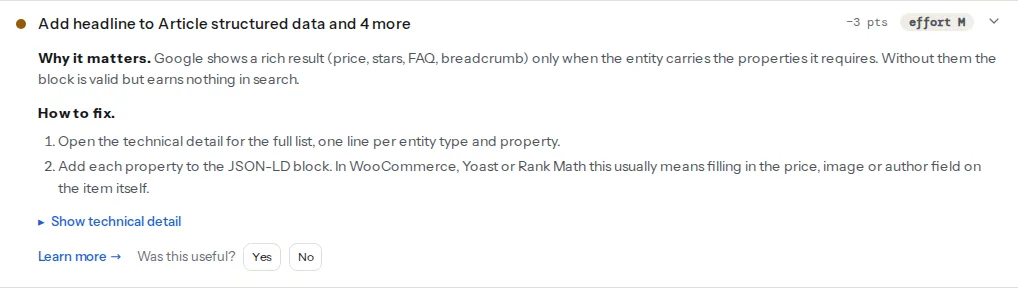
An Event with all three required properties is reported as eligible for rich results. Eligible here means the required set is present; Google applies its content guidelines and format rules on top, which is why the Rich Results Test is the second step, never the first.
Google's requirements
From Google's event structured data documentation, the properties in three groups:
| Group | Properties |
|---|---|
| Required | name, startDate, location (a Place with address, or a VirtualLocation with url) |
| Recommended | endDate, eventStatus, eventAttendanceMode, description, image, offers (price, priceCurrency, availability, url, validFrom), organizer, performer |
| Rules | The page describes one real event with a date; the markup matches the visible content; dates carry a timezone; the offer url leads to a page where tickets can be bought |
eventAttendanceMode and the online/cancelled values of eventStatus were added in 2020 when events moved online in bulk; they are what let Google show "Online" or "Cancelled" instead of silently dropping the event.
Step by step
1. A physical event, complete
This goes in the <head> (or anywhere in the HTML) of the event's own page:
<script type="application/ld+json">
{
  "@context": "https://schema.org",
  "@type": "Event",
  "name": "Zagreb Jazz Night: Ana Kovač Quartet",
  "description": "An evening of original compositions and standards, doors at 19:30.",
  "image": [
    "https://example.com/img/jazz-night-1x1.jpg",
    "https://example.com/img/jazz-night-4x3.jpg",
    "https://example.com/img/jazz-night-16x9.jpg"
  ],
  "startDate": "2026-11-14T20:00:00+01:00",
  "endDate": "2026-11-14T22:30:00+01:00",
  "eventStatus": "https://schema.org/EventScheduled",
  "eventAttendanceMode": "https://schema.org/OfflineEventAttendanceMode",
  "location": {
    "@type": "Place",
    "name": "Klub Sax",
    "address": {
      "@type": "PostalAddress",
      "streetAddress": "Palmotićeva 22",
      "addressLocality": "Zagreb",
      "postalCode": "10000",
      "addressCountry": "HR"
    }
  },
  "performer": {
    "@type": "MusicGroup",
    "name": "Ana Kovač Quartet"
  },
  "organizer": {
    "@type": "Organization",
    "name": "Klub Sax",
    "url": "https://example.com/"
  },
  "offers": [
    {
      "@type": "Offer",
      "name": "Standard",
      "price": "15.00",
      "priceCurrency": "EUR",
      "availability": "https://schema.org/InStock",
      "validFrom": "2026-10-01T10:00:00+02:00",
      "url": "https://example.com/events/jazz-night/tickets"
    },
    {
      "@type": "Offer",
      "name": "Student",
      "price": "8.00",
      "priceCurrency": "EUR",
      "availability": "https://schema.org/InStock",
      "validFrom": "2026-10-01T10:00:00+02:00",
      "url": "https://example.com/events/jazz-night/tickets"
    }
  ]
}
</script>
Details that matter:
- Dates.
2026-11-14T20:00:00+01:00is a date, a time and a UTC offset. Without the offset Google has to guess the timezone from the venue, and a date with no time ("2026-11-14") shows as an all-day event. Note the offset changes with daylight saving: the November event is+01:00, the October ticket release+02:00. addressCountry. The two-letter ISO code. Google uses it to place the event; an address without a country is the most common reason a valid-looking block earns nothing.image. Three crops (1:1, 4:3, 16:9) of the same picture let Google pick one for each surface. Any one crop is enough to start.performerandorganizer. APerson,MusicGrouporOrganization. Google shows the performer name in the listing.
2. An online event
Replace the location and the attendance mode:
"eventAttendanceMode": "https://schema.org/OnlineEventAttendanceMode",
"location": {
  "@type": "VirtualLocation",
  "url": "https://example.com/events/webinar-2026-11/live"
}
The url is where the visitor goes to attend, not the event page itself. A hybrid event uses MixedEventAttendanceMode and a location array with both a Place and a VirtualLocation.
3. A cancelled, postponed or rescheduled event
Keep the page published and the markup in place; change the status. For a cancellation:
"eventStatus": "https://schema.org/EventCancelled"Postponed with no new date yet: EventPostponed, keeping the original startDate. Rescheduled: EventRescheduled, with the new startDate and the old one in previousStartDate:
"eventStatus": "https://schema.org/EventRescheduled",
"startDate": "2027-01-23T20:00:00+01:00",
"previousStartDate": "2026-11-14T20:00:00+01:00"
Moved from a venue to online: EventMovedOnline with the attendance mode and location changed as in step 2. Deleting the page instead leaves Google with a cached event and visitors with a 404 the week of the show.
4. Recurring events
Google's event documentation describes the Event type; EventSeries is a schema.org type Google does not list as a rich-result type, so a series block on its own earns nothing. The pattern that works: one Event per occurrence, each with its own startDate, on the page that sells that occurrence. For a weekly class, that means the next several dates as separate Event entities (an array in one script block is fine), not all fifty-two, and not one Event with a comma-separated list of dates. When a date passes, drop it from the block.
5. Tickets
offers is where the rich result gets its "From €8" and its "Sold out" label:
- One
Offerper price tier, each withprice,priceCurrency(ISO 4217,EUR), andavailability(InStock,SoldOut,PreOrder). validFromfor presales: Google shows the release date until it passes.urlmust open a page where the ticket can actually be bought, not the event page again and not the organiser's home page.- Free events:
"price": "0"with a currency. A missingoffersis fine; a present one withoutpriceCurrencyis not.
6. Where the markup goes
The event page, once. The listing page (the "What's on" grid) should not carry a full Event per card as root entities; it can carry an ItemList whose items point at the event pages:
<script type="application/ld+json">
{
  "@context": "https://schema.org",
  "@type": "ItemList",
  "itemListElement": [
    { "@type": "ListItem", "position": 1, "url": "https://example.com/events/jazz-night/" },
    { "@type": "ListItem", "position": 2, "url": "https://example.com/events/film-club/" }
  ]
}
</script>
Google then crawls each event page for its own Event. That keeps one source of truth per event and avoids the duplicate Event entities the validator flags when a listing page and a plugin both mark up the same concert.
7. Validate twice
Run the schema validator first: it tells you the block parses, which types are present, and which required properties are missing, in one line each. Then paste the URL into Google's Rich Results Test (linked from the Event structured data documentation), which applies Google's format checks (date parsing, address completeness, offer URLs) and shows whether the page is eligible for the event rich result. The validator is faster and keeps a permanent link; the Rich Results Test is the final word on eligibility. Schema markup validation explains the difference in detail.
Platform notes
WordPress. The Events Calendar prints Event JSON-LD on single event pages with the venue as a Place and the organiser; check its output for offers (only present when tickets are configured through its ticketing add-on) and eventStatus, which depends on the plugin version. Events Manager and other calendar plugins vary; run the validator on one event page and read the technical detail. If your SEO plugin also has an "Event" schema type switched on for the post type, two Event blocks appear and the duplicate finding fires; keep the calendar plugin's block and turn the SEO plugin's off for that post type.
Eventbrite and Meetup embeds. The embedded widget is an iframe; any structured data inside it belongs to the embed's origin, not your page. Add your own Event block on the page with the offer url pointing at the Eventbrite listing.
Squarespace. Events Page items carry Event markup generated by the platform; you cannot edit it, so check an event page with the validator and fill in the fields the page template exposes (date, time, location, ticket link).
Shopify. No native events. Sell tickets as products with Product markup, and add an Event block through a theme section or a metafield-driven snippet on the ticket product page.
Verify
- The validator lists
Eventunder types detected, the required-properties finding passes forEvent, and rich-result eligibility listsEvent. - The Rich Results Test reports "Event" as eligible with no errors; warnings about recommended fields are worth clearing but do not block the result.
- The visible page shows the same name, date, venue and price as the markup.
- A search for the event name a week or two after publishing shows the date and venue under the result.
Common mistakes
startDatewithout a timezone. "2026-11-14T20:00:00" is ambiguous; Google may show the wrong hour or no time. Add the offset.- An address without
addressCountry. The most common cause of a valid block with no rich result. Add the two-letter code. - Offers without
priceCurrency. A bare "15.00" is not a price. Add the ISO code, even for free events. - Marking a sale or opening hours as an event. Google's guidelines exclude promotions and business hours; the penalty is losing event results site-wide. Use
Offervalidity dates oropeningHoursSpecificationinstead. - Past events left published with
EventScheduled. Google stops showing them, but they clutter the crawl and can outrank the current edition. Set an end date, and either note the past edition in the text or redirect to the next one. - Two
Eventblocks for one event. A plugin and a theme, or a listing page and the event page. Keep one; the types-detected finding shows the count, and the duplicate-entities finding names the pair when they share a name and URL. The structured data page explains how root entities are counted.