Hosting reviews are written by people who get paid when you click the link, and the benchmark in the review was run on an empty site. Time to First Byte is the one number a host cannot hide behind your theme: it is the DNS lookup, the connection, the TLS handshake and the time the server takes to produce the first byte of the page. This guide shows how to measure it fairly on two or three candidate hosts before you pay, how to read the field data from real sites they already serve, and what else a report tells you about a host.
Quick answer
- TTFB is the host's metric. Plugins and theme add to it; the host sets the floor.
- Targets: a cached page under 200 ms from a nearby location, 200–500 ms on a typical managed host. The report warns above 800 ms and fails above 1.8 s.
- Measure both cached and uncached: run the TTFB test on the plain URL, then on the same URL with
?nocache=1(or while logged in) to see the origin. - Deploy the same site on each candidate (trial or money-back period), run the test three times per page, same time of day, and write the numbers down.
- Use the Core Web Vitals history on real customer sites of each host: the field TTFB p75 over 40 weeks is the honest number.
- Discount any host whose data centre is far from your visitors, however fast it is from the test location.
Why TTFB is the host's number
Before the first byte arrives, nothing of yours has run in the browser. The time goes to four things: DNS (your DNS provider, not the host), the TCP connection and TLS handshake (distance and the host's TLS setup), and the server's own work: either handing back a cached HTML file in a few milliseconds, or starting PHP, loading WordPress, the theme and every plugin, running the database queries and rendering the page. On a shared server the last part also includes waiting for a CPU slot.
Your theme and plugins decide how expensive the uncached render is. The host decides how many CPU cycles you get, how fast the database answers, whether a server-level page cache exists, and how far the machine is from your visitors. Two identical WordPress installs on two hosts differ only in those, which is why the same site migrated between hosts can move from 900 ms to 250 ms without a single setting changed. The TTFB explainer breaks the milliseconds down; this guide is about using them to choose.
How getReport checks it
The test fetches the page from Frankfurt with a fresh connection, as a first-time visitor would, and records the time to the first byte of the final response plus every redirect hop on the way. The speed module adds two more views of the same thing: Lighthouse's server response time from its throttled run, and the field TTFB from Chrome users when the site has enough traffic to be in the Chrome UX Report.
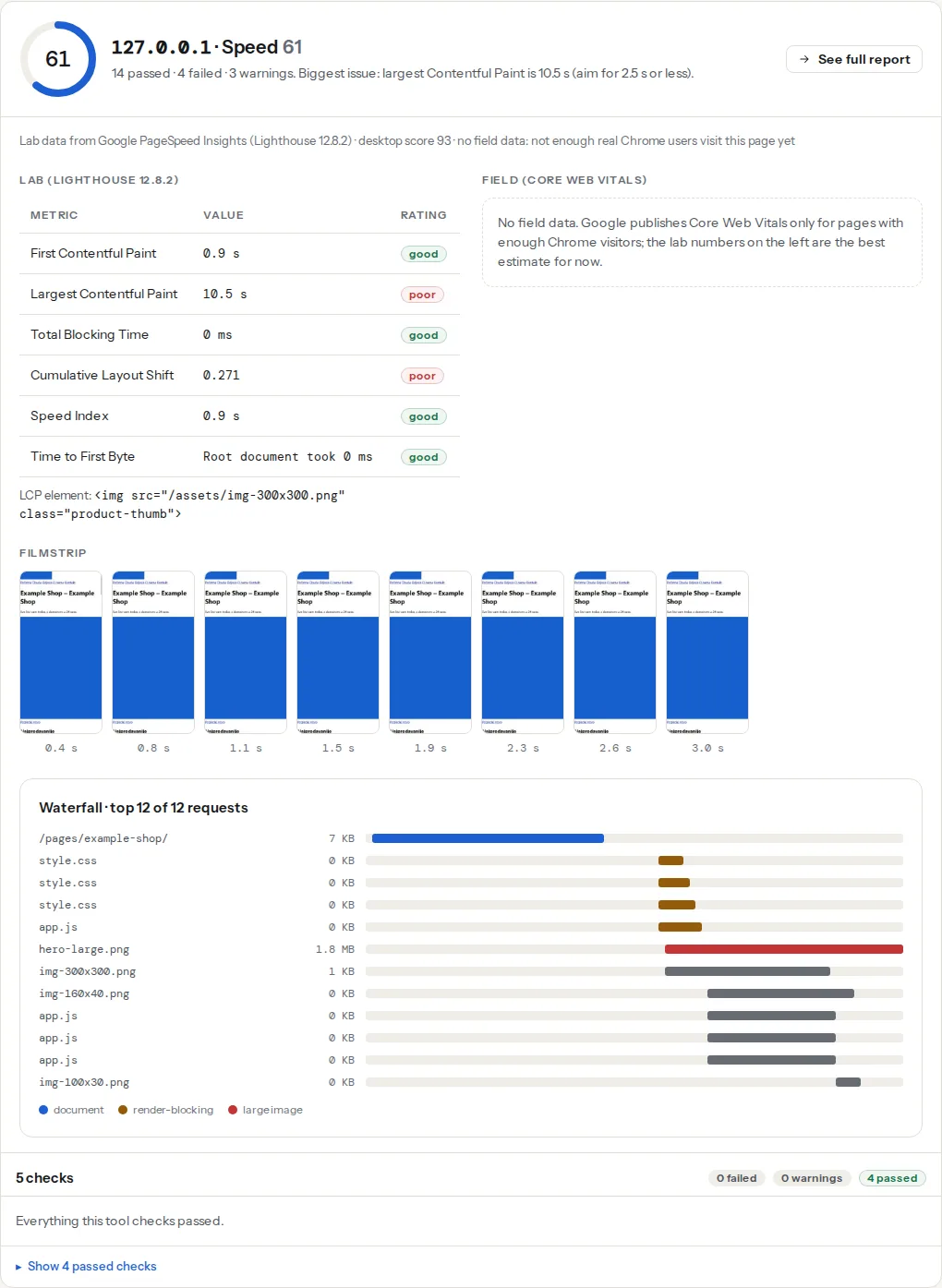
The three TTFB findings disagree on purpose. The lab number is one request from one place; the field number is the 75th percentile of real visitors on their own networks, which includes the distance from the host to where they live. When the lab number is fine and the field number is not, the host is far from your audience. When both are slow, the server is slow.
Step by step
1. Know what you are measuring: cached or uncached
Every serious WordPress host serves a page cache, either at the server (LiteSpeed, nginx FastCGI cache, Varnish) or through a plugin. A cached hit tells you about the host's network and web server; a cache miss tells you about its CPU and database. You need both, because logged-in users, the checkout, search results and the first visit after every edit are misses.
To force a miss without touching the site, add a query string the cache does not know: https://example.com/?nocache=1. Most page caches bypass unknown parameters (WP Rocket and LiteSpeed Cache do by default; some hosts strip them, in which case log in and test in that browser). Run the TTFB test on both URLs, three times each, and keep the median. A cached hit under 200 ms with an uncached miss over 1.5 s is a normal shared host; the same miss under 500 ms is what you pay a managed host for.
2. Put the same site on each candidate
Benchmarks on the host's demo site or on a fresh install prove nothing; a blank WordPress renders in 50 ms anywhere. Use the trial or the money-back period and move a copy of your real site: the All-in-One WP Migration or Duplicator plugin exports the whole site as one file and imports it on the new host in ten minutes, or the host's own migration tool does it for you. Use a temporary domain (every host gives one) so DNS does not change and the old site stays live.
Then, on each copy, the same pages: the home page, your heaviest category or archive, one product or post. Same time of day, three runs each, cached and uncached. Fill in the table:
| Host / plan | Data centre | Cached TTFB (median) | Uncached TTFB (median) | Field TTFB p75 (step 3) | PHP | Object cache | HTTP/2 · HTTP/3 · Brotli | Price / month |
|---|---|---|---|---|---|---|---|---|
| Host A, shared | Frankfurt | 8.3 | none | |||||
| Host B, managed | Amsterdam | 8.3 | Redis | |||||
| Host C, VPS | Helsinki | 8.3 | Redis |
PHP version, object cache and the protocol columns come from the host's panel and from the report (step 4). Keep the report links; they are the evidence when someone asks why you chose.
Tip
Run the tests at the hour your visitors are most active, not at 2 a.m. A shared host that is quick at night and slow at noon is telling you what its other customers do at noon.
3. Read the field data of sites already on that host
Your copy has no visitors, so it has no field data. Real customer sites do. Find a few: the host's showcase or case-study pages, agencies that state their host, or a report of a site you suspect (the server header and host-specific headers such as x-kinsta-cache, x-wpe-cache or x-sg-cache in the security module's technical detail name the platform). Run the Core Web Vitals history on three or four of them. The TTFB line at the 75th percentile over 40 weeks is what real people experienced on that infrastructure, network included, for sites with themes and plugins as messy as yours. A host whose customer sites all sit at 400–600 ms p75 is not going to give you 150 ms. Only sites with enough Chrome traffic are in the dataset; small showcase sites often are not, which is itself a reason to pick bigger ones.
Field data vs lab data explains why the two numbers differ and which to trust when.
4. Read the rest of the report about the host
A full report on your test copy shows what else the host does or does not provide, and each is a column in the table:
- HTTP/2 and HTTP/3: the practices module reports which protocol the page and its files negotiated and whether HTTP/3 is advertised. HTTP/1.1 in 2026 means an old stack.
- Compression: text files compressed with Brotli or gzip, or not. A host that does not compress by default has other defaults you will not like.
- Cache headers on static files: the cache-headers finding above. Managed hosts set a year on CSS, JS and images without asking; on shared hosting you will set it yourself.
- TLS version and the
Serverheader: TLS 1.2 minimum, ideally 1.3; aServerheader with a version number is a small thing that says how the machine is maintained. - Redirect hops before the page: a host that adds its own redirect (
http→https→www) has added a round trip to every first visit.
5. Discount for distance
The test runs from Frankfurt. A host in Virginia looks 100 ms slower from there than it is for a visitor in Chicago, and a host in Frankfurt looks 100 ms faster than it will be for that visitor. Pick the data centre closest to where most of your visitors live (your analytics has the country split), and treat a CDN as a fix for static files and cached pages only: the checkout, search and every logged-in view still travel to the origin. A CDN in front of a slow origin shows a fast cached TTFB and a slow uncached one; your table already separates the two.
6. Decide by site type
- Brochure site, a blog, a portfolio: any decent shared host with a server-level page cache and PHP 8.x. Uncached speed barely matters because almost every view is cached. Spend the difference on the theme.
- A shop or a membership site: most views are personal, so uncached TTFB and the object cache are what you are buying. Managed WordPress hosting with Redis, or a VPS with someone to run it.
- A VPS (Hetzner, DigitalOcean, a LiteSpeed licence on it) is the fastest per euro and the slowest per hour of your time: updates, backups, PHP tuning and the night the disk fills up are yours. Only with an administrator, or a panel such as RunCloud, SpinupWP or Ploi that does that part.
Once the choice is made, the site migration checklist covers the move without losing rankings or redirects.
Platform notes
Managed WordPress hosts
Their page cache is at the server and usually cannot be turned off, so the ?nocache=1 trick may be stripped; log in to measure the miss. Some cap PHP workers per plan, which shows as uncached TTFB rising with concurrent visitors rather than with page weight. Ask for the worker count.
Shared cPanel hosting
Look for the server: LiteSpeed header: LiteSpeed's server cache with the LiteSpeed Cache plugin is the fastest thing a cheap plan can offer. Without it, a plugin cache still gets a cached hit under 300 ms on most shared plans; the miss is what the plan's CPU share decides.
Static and headless
Not applicable to TTFB in the same way: a static export serves files, and the origin only matters for the build. Compare CDN edge locations instead.
Verify
- Your table has cached and uncached medians for the same three pages on each host, measured from the same location within the same week.
- The field TTFB p75 of at least three real sites per host is filled in, or marked "not in CrUX".
- After the move: the TTFB finding on your live site passes (under 800 ms) on the cached page and the field TTFB line in the history tool starts trending down in the following weeks.
Common mistakes
- Comparing a cached hit on one host with a miss on the other. Both numbers, both hosts, same pages.
- Trusting the host's own benchmark. It was measured on an empty site from a server next to the host's own.
- Choosing the fastest host from Frankfurt for visitors in Sydney. Distance is 200 ms of TTFB you cannot configure away.
- "Unlimited" plans. Unlimited storage and bandwidth, limited CPU seconds and PHP workers, which is where the time goes.
- Deciding on the Lighthouse score. The score mixes the host with your images and scripts. TTFB is the part the host owns.
- Migrating before measuring. Measure on the trial domain first; the migration is the expensive part and it only needs doing once.