HTTPS is the default now, which means the failures are the interesting part: a certificate that expired on a Sunday, a chain missing its intermediate so Android phones show a warning, TLS 1.0 still enabled because nobody turned it off, and http:// links that never redirect. Each shows visitors a full-page warning or a broken padlock, and each is a ten-minute fix once you know which one it is. This guide runs the checks that matter, explains what they look like from the visitor's side, and skips the ones that only matter to scanners.
Quick answer
- The certificate is valid for the host (and
www.), not expired, and renewed automatically at least 30 days before expiry. - The server sends the full chain (leaf + intermediates); browsers that lack the intermediate show a warning.
- TLS 1.2 and 1.3 on, TLS 1.0 and 1.1 off.
- Every
http://URL redirects tohttps://in one hop, and no page loadshttp://images or scripts (mixed content). - HSTS on once the above holds.
- Run the SSL/TLS checker; it tests all of it with a real handshake.
Why these checks matter
An expired certificate is the most visible failure on the web: every browser blocks the page with a red warning, and most visitors leave. It happens to large companies every year because renewal was manual and the reminder email went to someone who left.
A missing intermediate certificate is subtler: desktop Chrome often has the intermediate cached from another site and shows a padlock, while an Android phone or an older device does not and shows a warning. "It works for me" is the classic symptom.
Old TLS versions do not break the site, but they let a network attacker downgrade the connection to a version with known weaknesses, and browsers have stopped supporting them; any client that still needs TLS 1.0 is one you do not want to serve.
Mixed content is the one that breaks the padlock without a warning page: an http:// image or script on an https:// page. Browsers block the script (so features break) and show a "not secure" hint for images.
How getReport checks it
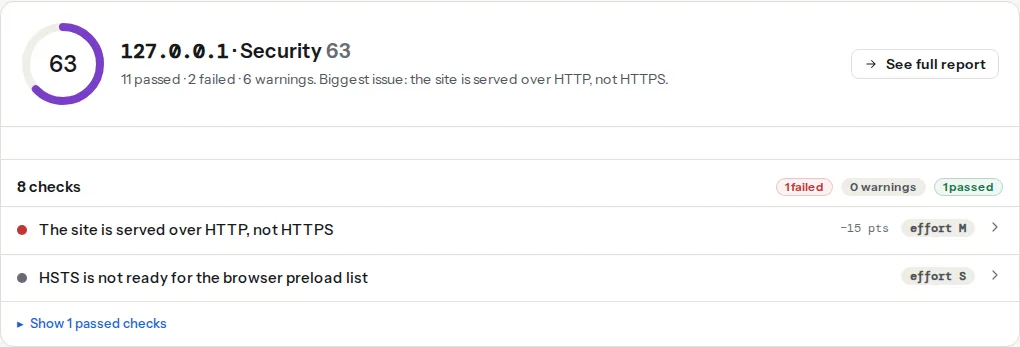
The report performs a TLS handshake with your server (with the hostname, like a browser) and reads the certificate: validity dates, issuer, the names it covers, and whether the chain validates against the public roots. A second handshake offers only TLS 1.0/1.1 to see whether the server accepts them. The page fetch itself tells whether http:// redirects and whether the HTML references http:// resources.
Step by step
1. Read the expiry finding
The finding says how many days are left. Under 30 days with no automation means someone renews by hand; set up automation now (step 5) rather than renewing once more. Under 7 days: renew today.
2. Fix the chain
"Certificate chain validates" means the server sent the intermediates. If the finding fails with unable to get local issuer certificate or similar, the server is sending only the leaf. Every certificate provider gives a "full chain" or "bundle" file; that is the one to configure.
nginx: ssl_certificate must point at the full chain, not the leaf:
ssl_certificate     /etc/letsencrypt/live/example.com/fullchain.pem;
ssl_certificate_key /etc/letsencrypt/live/example.com/privkey.pem;
Apache 2.4.8+: SSLCertificateFile accepts the full chain too:
SSLCertificateFile    /etc/letsencrypt/live/example.com/fullchain.pem
SSLCertificateKeyFile /etc/letsencrypt/live/example.com/privkey.pem
Test from outside with:
openssl s_client -connect example.com:443 -servername example.com </dev/null 2>/dev/null | grep -E "Verify return code|s:|i:"Verify return code: 0 (ok) and two or three s:/i: pairs mean the chain is complete.
3. Turn off TLS 1.0 and 1.1
nginx:
ssl_protocols TLSv1.2 TLSv1.3;
ssl_prefer_server_ciphers off;Apache:
SSLProtocol -all +TLSv1.2 +TLSv1.3Cloudflare: SSL/TLS → Edge Certificates → Minimum TLS Version → 1.2. Caddy: 1.2 is already the minimum.
4. Redirect http to https in one hop
The https-enforced finding checks that http://example.com/page redirects to https://example.com/page directly, not via http://www. first. One server block handles both scheme and host:
server {
    listen 80;
    listen [::]:80;
    server_name example.com www.example.com;
    return 301 https://example.com$request_uri;
}
Keep the path ($request_uri); redirecting everything to the home page loses deep links.
5. Automate renewal
Let's Encrypt certificates last 90 days, which is deliberate: it forces automation. Certbot on a VPS:
sudo certbot --nginx -d example.com -d www.example.com
sudo systemctl status certbot.timer   # renews twice a day when < 30 days remain
Caddy renews on its own. Cloudflare's edge certificate renews on its own; the origin certificate ("Origin CA") lasts up to 15 years and only needs to be valid for Cloudflare, not for browsers. Managed hosts renew automatically; if the expiry finding shows under 30 days on a managed host, ask them why.
Then monitor it: a certificate that stops renewing (a changed DNS record, a blocked /.well-known/acme-challenge/ path) fails silently until it expires. The monitoring milestone will alert on it; until then, the report's expiry finding is a monthly check.
6. Fix mixed content
The finding lists the http:// resources. Most come from absolute URLs in old content (<img src="http://example.com/wp-content/…">) or a theme option that still has the http address. A search-and-replace of http://example.com → https://example.com in the database fixes content; the theme and plugin settings are done by hand. As a safety net, Content-Security-Policy: upgrade-insecure-requests makes the browser request every http resource over https instead. See Mixed content after moving to https.
Checks that do not matter much
- Cipher suite grades on scanners. With TLS 1.2+ and a modern OpenSSL, the default suites are fine. Custom cipher lists cause more outages than they prevent.
- Extended Validation certificates. Browsers no longer show the company name; EV changes nothing for visitors.
- Certificate Transparency, OCSP stapling, key size beyond 2048/P-256. Good defaults come with every current server; not worth a project.
- The green padlock as a security promise. HTTPS protects the connection, not the site. A phishing site has HTTPS too.
Verify
- The SSL/TLS checker shows every finding passed and the expiry finding at 30+ days.
openssl s_clientreports verify code 0.- Open the site on an Android phone and on a desktop: padlock on both.
- The redirect checker shows one 301 from
http://to the finalhttps://URL.
Common mistakes
- Renewing the certificate but not reloading the server. nginx and Apache keep the old one in memory until reloaded; Certbot's hook does it for you, a manual renewal does not.
- Certificate for
example.combut notwww.example.com(or the reverse). Include both names, or redirect one to the other before TLS is needed (it is not: the redirect happens after the handshake, so both names need a valid certificate). - Blocking
/.well-known/acme-challenge/with a security rule. Renewal fails quietly. Allow it. - Self-signed certificate on the origin behind Cloudflare in "Flexible" mode. Visitors see HTTPS but Cloudflare talks to the origin over plain http. Use "Full (strict)" with an Origin CA certificate.
- Leaving TLS 1.0 on "for compatibility". No supported browser or search engine needs it.