A server that still accepts TLS 1.0 is like a shop that keeps a broken back door because one customer in 2012 used it. Every browser stopped using the old protocols in 2020, the standards body retired them in 2021, and the card industry has banned them since 2018. Turning them off is two lines of configuration; the only real work is confirming that nobody you care about still depends on them. This guide covers both halves.
Quick answer
- Set the minimum to TLS 1.2 and enable 1.3. nginx:
ssl_protocols TLSv1.2 TLSv1.3;. Apache:SSLProtocol -all +TLSv1.2 +TLSv1.3. Caddy: already the default. Cloudflare: SSL/TLS, Edge Certificates, Minimum TLS Version, 1.2. - Before you do, log the negotiated protocol for a week and look for
TLSv1andTLSv1.1entries. Modern browsers, phones and crawlers will not be among them. - Drop the old cipher suites at the same time (RC4, 3DES, CBC-mode suites); keep the AEAD suites (AES-GCM, ChaCha20-Poly1305).
- Prove it:
openssl s_client -tls1_1must fail against your host; the SSL / TLS checker reports "The server only accepts TLS 1.2 or newer".
Why turning off TLS 1.0 and 1.1 matters
They are broken, and officially dead
TLS 1.0 dates from 1999 and 1.1 from 2006. Both depend on constructions that have since been attacked in practice: CBC-mode ciphers with a predictable initialisation vector (BEAST), MD5 and SHA-1 inside the handshake, no support at all for the authenticated (AEAD) ciphers that make TLS 1.2 and 1.3 safe. RC4, the usual workaround for the CBC problems, turned out to be weaker still. A server that offers 1.0 lets an attacker who can tamper with the connection downgrade to it, and then attack the weak protocol rather than the strong one the client would have preferred.
The formal end came in three steps. Chrome 84, Firefox 78, Safari and Edge removed TLS 1.0 and 1.1 in 2020; a visitor with a current browser cannot use them even if your server offers them. The IETF published RFC 8996 in March 2021, which deprecates both versions and forbids their use in new protocols. And PCI DSS, the rules for anyone who takes card payments, has prohibited "SSL and early TLS" since 30 June 2018: a shop that accepts TLS 1.0 fails its quarterly scan.
Why 1.3 as well as 1.2
TLS 1.2 is the floor. TLS 1.3 (2018) is faster and simpler: the handshake takes one round trip instead of two, so the first byte arrives sooner on every new connection, and it removed the weak options outright (RSA key exchange, CBC, RC4, SHA-1, compression, renegotiation) so there is much less to misconfigure. HTTP/2 requires TLS 1.2 or better with a modern cipher, and HTTP/3 requires 1.3, so the protocol setting and HTTP/2 and HTTP/3 go together.
Who still needs the old versions
Almost nobody, but "almost" is why you check your logs first. Clients that cannot speak TLS 1.2:
- Android 4.3 and older (2013); Android 4.4 supports 1.2 but some apps of that era did not enable it.
- Internet Explorer 10 and older on Windows 7, and everything on Windows XP. IE 11 on Windows 7 has TLS 1.2 on by default.
- Java 6, and Java 7 with its default client settings.
- Old payment terminals, printers, smart TVs, cameras and other embedded devices that call a web service and were never updated.
- Scripts on very old servers:
curlandwgeton distributions from before 2014.
For a public website the share of such visitors is a rounding error, and most of them already cannot load your site's fonts, scripts or CDN assets, which dropped the old protocols years ago. For an API that a fleet of devices calls, it is the one thing to find out before flipping the switch.
How getReport checks it
The checker makes two TLS handshakes to the host, both with the hostname as SNI, and never sends any application data. The first is a modern one, with TLS 1.2 as its minimum and HTTP/2 offered through ALPN; it records the negotiated protocol and cipher and reads the certificate. The second is deliberately old: a client that offers only TLS 1.0 and 1.1. If the server accepts that second handshake, the finding fails; if the server refuses it with a protocol-version alert or a handshake failure, it passes. If the test cannot tell (the local OpenSSL policy refused to even try), the finding is left out rather than guessed.
The evidence line reads, for example, A TLS 1.0/1.1 handshake was accepted; a modern client negotiates TLSv1.3. The second half is useful on its own: a server that negotiates TLSv1.2 with a modern client has 1.3 off, which costs a round trip on every new connection.
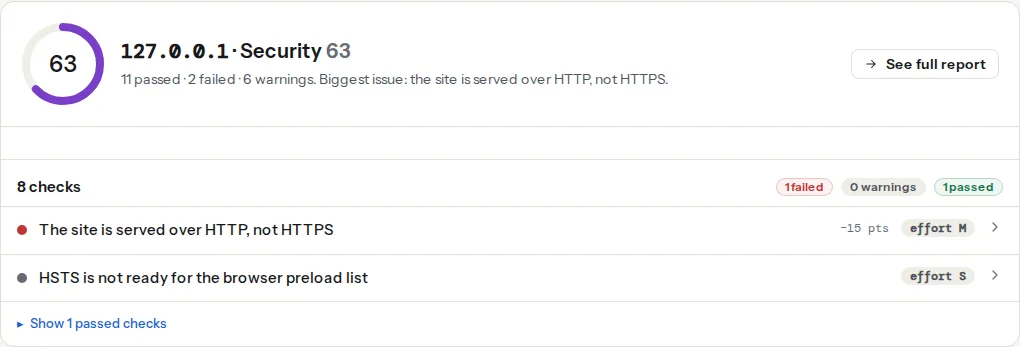
The same handshake feeds two more findings that you should re-read after changing the TLS configuration, because the files and settings sit next to each other and a typo in one often breaks the other:
Step by step
1. Log the negotiated protocol for a week
Add the protocol and cipher to the access log, then wait for a representative week (include a weekend and, for a B2B site, month-end).
nginx, in the http block of nginx.conf:
log_format tls '$remote_addr [$time_local] "$request" $status '
               '$ssl_protocol $ssl_cipher "$http_user_agent"';
access_log /var/log/nginx/access.log tls;Apache, in the virtual host or httpd.conf (mod_ssl and mod_log_config):
LogFormat "%h %t \"%r\" %>s %{SSL_PROTOCOL}x %{SSL_CIPHER}x \"%{User-Agent}i\"" tls
CustomLog /var/log/apache2/access.log tls
Then count:
grep -c -E " TLSv1(\.1)? " /var/log/nginx/access.log
grep -E " TLSv1(\.1)? " /var/log/nginx/access.log | awk -F'"' '{print $6}' | sort | uniq -c | sort -rn | head
The second command lists the user agents. Vulnerability scanners and bots will be most of them; look for a device or an integration you recognise. Behind Cloudflare, the Analytics dashboard shows traffic by TLS version without any server change.
2. Set the minimum version and the ciphers
Take the "intermediate" profile from Mozilla's SSL Configuration Generator, which is maintained for exactly this purpose and covers every mainstream server. The essential lines:
nginx, in the http block so that every server block inherits it (nginx -t to check, then reload):
ssl_protocols TLSv1.2 TLSv1.3;
ssl_prefer_server_ciphers off;
ssl_ciphers ECDHE-ECDSA-AES128-GCM-SHA256:ECDHE-RSA-AES128-GCM-SHA256:ECDHE-ECDSA-AES256-GCM-SHA384:ECDHE-RSA-AES256-GCM-SHA384:ECDHE-ECDSA-CHACHA20-POLY1305:ECDHE-RSA-CHACHA20-POLY1305:DHE-RSA-AES128-GCM-SHA256:DHE-RSA-AES256-GCM-SHA384:DHE-RSA-CHACHA20-POLY1305;
ssl_session_timeout 1d;
ssl_session_cache shared:SSL:10m;
ssl_session_tickets off;
TLSv1.3 needs nginx 1.13 or later built against OpenSSL 1.1.1 or later, which every supported distribution has. ssl_prefer_server_ciphers off lets a modern client pick ChaCha20 on a phone without AES hardware, which is faster for it.
Apache 2.4.36 or later (with OpenSSL 1.1.1), in the SSL virtual host or ssl.conf:
SSLProtocol         -all +TLSv1.2 +TLSv1.3
SSLCipherSuite      ECDHE-ECDSA-AES128-GCM-SHA256:ECDHE-RSA-AES128-GCM-SHA256:ECDHE-ECDSA-AES256-GCM-SHA384:ECDHE-RSA-AES256-GCM-SHA384:ECDHE-ECDSA-CHACHA20-POLY1305:ECDHE-RSA-CHACHA20-POLY1305:DHE-RSA-AES128-GCM-SHA256:DHE-RSA-AES256-GCM-SHA384:DHE-RSA-CHACHA20-POLY1305
SSLHonorCipherOrder off
SSLSessionTickets   off
On an older Apache that does not know +TLSv1.3, the line fails the config test; use SSLProtocol all -SSLv3 -TLSv1 -TLSv1.1 instead, which gives TLS 1.2 only. These directives live in the server or virtual host config, never in .htaccess, because the protocol is negotiated before Apache knows which directory the request is for.
Caddy uses TLS 1.2 as its minimum and prefers 1.3 with no configuration. Only add tls { protocols tls1.2 tls1.3 } inside the site block if a previous admin lowered it.
Cloudflare: the setting that matters is on the edge, because visitors connect to Cloudflare, not to you. SSL/TLS, Edge Certificates, Minimum TLS Version: set it to TLS 1.2. The default for new zones has been TLS 1.0, so check it rather than assuming. Enable "TLS 1.3" on the same page. Your origin's own setting still governs the Cloudflare-to-origin hop; set it too.
Hosting panels: Plesk has a "TLS versions and ciphers" setting under Tools & Settings, and WHM configures Apache's SSLProtocol globally under Service Configuration. On shared hosting where none of this is exposed, ask support; it is a one-line change on their side and most hosts have already made it.
3. Drop the weak ciphers on purpose, not by accident
The cipher lists above contain only ECDHE or DHE key exchange (forward secrecy) with AES-GCM or ChaCha20-Poly1305 (AEAD). Things that are gone from them and should stay gone: RC4, 3DES (DES-CBC3-SHA), every -CBC- and -SHA non-GCM suite, NULL, EXPORT, and plain RSA key exchange (any suite name without ECDHE or DHE). TLS 1.3 has its own set of five suites, all AEAD, which the ssl_ciphers and SSLCipherSuite lists above do not touch, so the list only affects 1.2 connections.
4. Reload and check the certificate still validates
nginx -t && systemctl reload nginx or apachectl configtest && systemctl reload apache2. A protocol change does not touch the certificate files, but the cipher list can: an ECDSA-only list on an RSA certificate means no cipher matches and every handshake fails. The lists above include both ECDHE-RSA and ECDHE-ECDSA suites for that reason. Re-run the checker and confirm the chain still validates.
Platform notes
Shopify, Wix, Squarespace, WordPress.com: the platform terminates TLS and has enforced TLS 1.2 as a minimum for years. Nothing to change; run the checker to confirm.
Self-hosted WordPress: the setting is on the web server, not in WordPress. wp-config.php, plugins and the admin have no say in the TLS version. Follow the nginx or Apache steps, or the hosting panel.
Mail servers on the same host: Postfix (smtpd_tls_protocols) and Dovecot (ssl_min_protocol) have their own settings. Be more careful there: other mail servers negotiate with yours without a human to notice, and a few still speak only TLS 1.0. Most operators keep SMTP at TLS 1.2 minimum but log downgrades first.
Load balancers and API gateways: AWS ALB and CloudFront use named security policies (choose one whose name contains TLS13 or TLS-1-2); Google Cloud load balancers use an SSL policy with a minimum version; Azure Application Gateway has a "minimum protocol version" in its SSL policy. Set it there; the instances behind it usually see plain HTTP.
Verify
- Re-run the SSL / TLS checker. The finding reads "The server only accepts TLS 1.2 or newer" and the evidence line shows
negotiated TLSv1.3. - From a terminal, the old protocol must fail and the new one must succeed:
# Expected: an error such as "alert protocol version" or "handshake failure"
openssl s_client -connect example.com:443 -servername example.com -tls1_1 </dev/null

# Expected: "Protocol : TLSv1.2" and a cipher name in the output
openssl s_client -connect example.com:443 -servername example.com -tls1_2 </dev/null 2>/dev/null | grep -E "Protocol|Cipher"
If the first command prints no protocols available, your own OpenSSL refused to attempt TLS 1.1, which says nothing about the server. Force it to try with -cipher 'DEFAULT:@SECLEVEL=0' added to the command, or rely on the checker, which runs the same test from a machine where it is allowed.
- The site still loads in every browser you support, the checkout completes, and the API integration you were worried about in step 1 still works.
- A week later, the logs show no
TLSv1orTLSv1.1lines at all, because the server no longer completes those handshakes.
Common mistakes
- Setting
ssl_protocolsin oneserverblock and not the others. Put it inhttpso a forgotten virtual host on the same IP cannot re-enable the old versions. - Setting the origin and forgetting the edge. Behind Cloudflare or a load balancer, visitors negotiate with the edge. Its minimum-version setting is the one the checker sees.
+TLSv1.3on an Apache that does not support it. The config test fails and the reload is refused; the old config keeps running. Read the output ofapachectl configtest, and use theall -SSLv3 -TLSv1 -TLSv1.1form on older builds.- A cipher list with no suite matching the certificate's key type. Every handshake fails, including yours. Keep both RSA and ECDSA suites unless you know which key you have.
- Turning off 1.0 and 1.1 without the week of logs. The one payment terminal or warehouse scanner that needed them fails on a Saturday. Log first, then switch, then watch the logs once more. And keep the certificate side automated, because a protocol change and an expiry in the same month are hard to tell apart from the outside: see Certificate expiry: automate renewal, then monitor it and, for the rest of the panel, SSL/TLS checks that matter.