An expired certificate is the only outage that turns a working site into a full-page red warning at a moment you chose months ago and forgot. It is also the most preventable one: renewal is a solved problem, and the check that catches a failed renewal takes ten seconds. This guide covers why certificates keep getting shorter, how each renewal stack does its job, the ways renewal quietly stops, and how to make sure you hear about it 30 days out rather than from a customer.
Quick answer
- Every public certificate expires, and the maximum lifetime is shrinking: 200 days today, 100 days from March 2027, 47 days from March 2029. Manual renewal is no longer an option.
- Use a stack that renews on its own: certbot's timer, acme.sh's cron job, Caddy, cPanel AutoSSL, Cloudflare's edge certificates, or your cloud load balancer's managed certificate.
- Then confirm the automation is alive:
certbot renew --dry-run, the timer status, the last renewal log line. - Monitor the expiry date from outside. The SSL / TLS checker warns under 30 days and fails under 7; an uptime monitor with a certificate check e-mails you.
- Keep one command handy:
echo | openssl s_client -connect example.com:443 -servername example.com 2>/dev/null | openssl x509 -noout -dates.
Why certificate expiry matters
What happens on the day
The moment the notAfter date passes, every browser shows an interstitial instead of your page: "Your connection is not private", NET::ERR_CERT_DATE_INVALID in Chrome, SEC_ERROR_EXPIRED_CERTIFICATE in Firefox. Most visitors leave; the "Advanced, proceed anyway" link is small, frightening and, on a site that sends an HSTS header, not offered at all. Browsers do not allow a click-through on HSTS hosts, which is one more reason to get HSTS right only after renewal is automatic.
Browsers are the visible half. The invisible half fails harder:
- API clients and mobile apps fail with a certificate error and no button to press. Payment webhooks, partner integrations and your own app's backend calls stop at once.
- Mail, if the web certificate is also used by the mail server: every mail client on staff phones starts warning.
- Search engines: Googlebot cannot fetch the page. A day is survivable; a week starts to cost rankings.
- Anything with pinned expectations (an old IoT device, a corporate proxy with a strict policy) may fail for longer than the outage itself.
Why they expire at all, and why sooner every year
A certificate is a statement by a certificate authority that, at the time of issue, you controlled the domain. The longer it lasts, the longer a stolen key or a domain that changed hands stays trusted. Revocation was supposed to handle that and never worked well in browsers, so the industry chose short lifetimes instead.
Let's Encrypt has issued 90-day certificates since 2015. In April 2025 the CA/Browser Forum, the body whose rules every public CA follows, passed ballot SC-081, which cuts the maximum lifetime for all public certificates in steps: 200 days from 15 March 2026, 100 days from 15 March 2027, and 47 days from 15 March 2029. The period for which a domain validation can be reused shrinks at the same time, to 10 days by 2029. By 2029 a certificate will need renewing roughly every six weeks, with a fresh proof of control each time. Nobody will do that by hand. Automation is not a best practice any more; it is the only way a public site keeps working.
One more change worth knowing: Let's Encrypt stopped sending expiry warning e-mails in June 2025. If your monitoring was "Let's Encrypt will tell me", it will not.
How getReport checks it
The checker opens a TLS connection to the site's host with the hostname sent as SNI (the same way a browser does), reads the certificate the server presents, and validates the chain against the public root store. From that one handshake come three findings:
The evidence line shows the exact date: Certificate valid until 2026-12-31 (97 days from now). The thresholds are 30 days for a warning and 7 days for a fail. Those are set so that a 90-day certificate, which renewal tools typically renew with about 30 days left, passes as soon as renewal has happened, and warns as soon as it has been missed once.
Chain validation fails for three reasons: the certificate is expired (browsers show the same warning), the server sends the leaf certificate without its intermediate, or the certificate does not cover the hostname (issued for www.example.com, served on example.com). The evidence line names the error, for example UNABLE_TO_GET_ISSUER_CERT_LOCALLY for a missing intermediate.
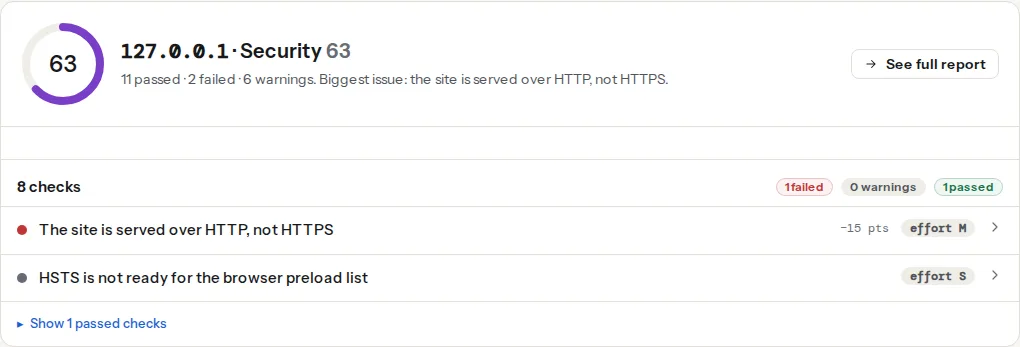
The report is a snapshot. It is the right tool for "is renewal working?" after a change, and for the check-once-a-month habit, not a replacement for a monitor that runs daily on its own.
Step by step
1. Know which stack renews your certificate
Before fixing automation you have to know whose job it is. Run the openssl command from the quick answer and look at the issuer and the dates:
echo | openssl s_client -connect example.com:443 -servername example.com 2>/dev/null \
| openssl x509 -noout -issuer -dates- Issuer
Let's EncryptorZeroSSL, 90-day validity: an ACME client on your server (certbot, acme.sh, lego), or Caddy, or cPanel AutoSSL. - Issuer
Google Trust Services,Let's EncryptorCloudflare, on a site behind Cloudflare: the edge certificate, managed by Cloudflare. Your origin has a separate certificate, tested separately (step 5). - Issuer
Amazonor a cloud provider: a managed certificate on a load balancer. - A one-year validity with a commercial issuer: probably installed by hand. Plan to move it to automation before it next expires.
2. certbot: check the timer, not the certificate
certbot installs a systemd timer that runs twice a day and renews any certificate with fewer than 30 days left. Confirm it exists and last ran:
systemctl list-timers | grep -i certbot        # apt install: certbot.timer; snap: snap.certbot.renew.timer
sudo certbot renew --dry-run                   # full renewal against the staging CA, nothing is changed
sudo grep -i "renew" /var/log/letsencrypt/letsencrypt.log | tail -5
A dry run that succeeds means the challenge still works: port 80 is reachable for HTTP-01, or the DNS plugin's credentials are still valid for DNS-01. A dry run that fails tells you why, in one line, months before it matters.
One thing the timer does not do on its own: tell the web server to load the new file. certbot's Apache and nginx plugins reload for you; a webroot or standalone setup needs a deploy hook. Add it once in /etc/letsencrypt/cli.ini:
deploy-hook = systemctl reload nginxWithout the hook, the certificate on disk is fresh and the one being served is the old one, which is the most confusing version of this outage.
3. acme.sh, Caddy, cPanel and load balancers
acme.sh installs a daily cron job on installation. Check it with crontab -l | grep acme.sh and test with acme.sh --renew -d example.com --force. It renews at 60 days by default, and like certbot needs a --reloadcmd so the server picks up the new files.
Caddy obtains and renews certificates itself, well before expiry, and reloads without a restart. It needs ports 80 and 443 reachable from the internet, or a DNS provider module for DNS-01. Renewal failures are in Caddy's log (journalctl -u caddy | grep -i renew).
cPanel AutoSSL runs on the host's schedule and renews automatically. It fails when a subdomain in the account no longer points at the server (the whole request can fail on one bad name; remove stale subdomains) or when a redirect rule in .htaccess catches /.well-known/acme-challenge/. The AutoSSL log in cPanel names the failing domain.
Load balancers (AWS ALB with ACM, Google Cloud managed certificates, Azure App Service managed certificates) renew on their own as long as the DNS validation record stays in place. Delete the _acme-challenge or ACM CNAME during a DNS clean-up and renewal stops.
4. Make sure the certificate covers every name
A certificate lists the hostnames it is valid for. example.com and www.example.com both need to be on it; so does shop.example.com if it serves the same certificate. A name that is missing fails chain validation with a hostname mismatch even though nothing has expired. Check with:
echo | openssl s_client -connect example.com:443 -servername example.com 2>/dev/null \
  | openssl x509 -noout -ext subjectAltName
Certificate transparency logs (searchable at crt.sh) list every certificate ever issued for your domain, which is the quickest way to find a forgotten subdomain that has its own, separately expiring certificate.
5. Behind Cloudflare: two certificates, two clocks
With the orange cloud on, visitors see Cloudflare's edge certificate, which Cloudflare renews. Between Cloudflare and your server is a second certificate, on your origin. In "Full (strict)" mode Cloudflare validates it; when it expires, visitors get Cloudflare's error 526 instead of your site, even though the edge certificate is fine.
Two ways to make the origin side boring: a Cloudflare Origin CA certificate (SSL/TLS, Origin Server, Create Certificate), valid for up to 15 years and trusted only by Cloudflare, so it is fine that browsers do not trust it; or a normal ACME certificate on the origin, renewed as in step 2, with the DNS-01 challenge because HTTP-01 has to pass through Cloudflare.
6. Install the full chain
After a manual install, the second most common failure after expiry is a server that sends only the leaf certificate. Desktop browsers often paper over this by fetching the intermediate themselves; Android, curl, PHP and Java do not, so the site "works on my machine" and fails for the API client. Use the fullchain.pem file (certbot) or concatenate the certificate and the CA bundle your issuer sent:
ssl_certificate     /etc/letsencrypt/live/example.com/fullchain.pem;  # leaf + intermediate
ssl_certificate_key /etc/letsencrypt/live/example.com/privkey.pem;SSLCertificateFile /etc/letsencrypt/live/example.com/fullchain.pem
SSLCertificateKeyFile /etc/letsencrypt/live/example.com/privkey.pemConfirm from outside: openssl s_client -connect example.com:443 -servername example.com </dev/null 2>&1 | grep "Verify return code" should print 0 (ok); 21 (unable to verify the first certificate) means the intermediate is missing.
7. Monitor from outside, on a schedule
Automation fails silently; monitoring is what makes it loud. In order of effort:
- An uptime monitor with a certificate check. Most uptime services offer "alert N days before the certificate expires". Set 14 days: long enough to fix a broken renewal, short enough that a normal 30-days-before renewal never triggers it.
- A cron job on another machine that runs the openssl command and mails you when the days-left number drops below 14:
#!/bin/bash
# /usr/local/bin/cert-days.sh example.com
host="$1"
end=$(echo | openssl s_client -connect "$host:443" -servername "$host" 2>/dev/null \
  | openssl x509 -noout -enddate | cut -d= -f2)
days=$(( ( $(date -d "$end" +%s) - $(date +%s) ) / 86400 ))
[ "$days" -lt 14 ] && echo "$host certificate expires in $days days ($end)" | mail -s "Certificate warning: $host" [email protected]- The report, monthly. Run the checker on each hostname and read the days-left number. It catches the problems monitors do not look for: the chain, the protocol version, HSTS.
- A calendar reminder at 60 days before the expiry date of any certificate you know was installed by hand. A last resort, but better than nothing for the one appliance or mail server still on a yearly certificate.
Common failure modes
Watch out
Every one of these produces a certificate that is valid today and gone on a date nobody is watching. Check for all five after any server, DNS or firewall change.
- The renewal job stopped. The server was rebuilt, the timer was not re-enabled, the cron job was in a user's crontab that was deleted. Symptom:
systemctl list-timersshows no certbot entry; the log has no entries for months. - Port 80 was blocked "for security". HTTP-01 needs the CA to reach
http://example.com/.well-known/acme-challenge/. A firewall change or a "HTTPS only" rule that redirects/.well-known/breaks renewal until the next attempt, which also fails. Keep port 80 open and redirecting, and exempt the challenge path. - The DNS credentials expired. DNS-01 uses an API token for your DNS provider. Rotated tokens, a changed provider or a token with the wrong zone permission stop renewal. The dry run reports it.
- A forgotten subdomain.
status.example.comhad its own certificate, on a box nobody remembers. Certificate transparency search finds it. - Chain incomplete after a manual install. Someone replaced
fullchain.pemwithcert.pem. Works in Chrome, fails in the mobile app.
Verify
- The SSL / TLS checker shows "The TLS certificate is valid for N more days" with N above 30, "The TLS certificate chain validates", and "The site is served over HTTPS".
sudo certbot renew --dry-run(or your stack's equivalent) succeeds, and the timer's next run is in the future.- The openssl
Verify return codeis0 (ok)from a machine outside your network. - After the next real renewal, the date on the served certificate has moved: run the openssl
-datescommand and compare with the day before. A renewed file with an unchanged served date means the reload hook is missing. - Your monitor has your address and a test alert reached it.
Common mistakes
- Renewed on disk, old in memory. The web server was never told to reload. Add the deploy hook and test it by renewing early with
--force-renewalonce. - Fixing the outage by installing a new one-year certificate by hand. It solves today and schedules the same outage for next year. Fix the automation instead, while the memory is fresh.
- Monitoring only the main domain.
www, the API host, the mail host and the staging host each have a certificate and a clock. Monitor every hostname that has a padlock. - Adding HSTS with a long
max-agebefore renewal is automatic. An expiry then locks visitors out with no bypass. Automate, monitor, then add HSTS. - Treating the certificate as the whole of TLS. A valid certificate on a server that still accepts TLS 1.0 fails a different check; see TLS 1.0 and 1.1: turning legacy protocols off, and for the rest of what the TLS panel grades, SSL/TLS checks that matter.