# Pagination in 2026: rel=prev/next is gone, what now
> Google stopped reading rel=prev/next in 2019 and most pagination advice still assumes it. What page 2 needs now: canonical, title and link rules, WordPress settings, and what to do with load more.
Updated 2026-09-25 · Technical SEO · HTML version: https://getreport.app/guides/pagination-after-rel-prev-next
A category with 300 products or a blog with 800 posts is split into pages, and every page after the first is a page Google has to discover, crawl and understand. For years the answer was two link tags, `rel="prev"` and `rel="next"`. Google announced in 2019 that it had not used them for some time, and the advice built on them (canonical to page 1, noindex the rest, a view-all page) quietly became wrong. This guide is what works now: what page 2 needs, what it must not have, and how to check one page in a minute.
## Quick answer
- Every paginated page gets its own URL (`/shoes/page/2/` or `/shoes/?page=2`) and a canonical pointing to itself, never to page 1.
- Page 2 and beyond stay indexable. No `noindex` by default.
- The title says which page it is: "Running shoes – Page 2 of 7 – Example Shop".
- Pages link to each other with real `` links, at least previous and next, ideally the first and last too. A "Load more" button without a URL is invisible to crawlers.
- Keep `rel="prev"`/`rel="next"` if your CMS prints them; they are harmless and other engines still read them. Do not add them by hand for Google's sake.
- Keep sorting and filter parameters out of paginated URLs, or canonical them to the unfiltered page.
## Why pagination matters
Pagination is how a crawler reaches most of what a large site sells or publishes. The home page links to categories, a category page links to its first 24 products, and the other 276 are reachable only through page 2, 3 and so on. If those pages are `noindex`, canonical to page 1, or linked only by a script, the products on them become orphans as far as Google is concerned: known from the sitemap, perhaps, but with no internal link pointing at them, and crawled last or not at all.
The old advice broke this in two ways. A canonical from page 2 to page 1 tells Google "page 2 is the same as page 1", which Google reads literally: it drops page 2 and with it the links on it. `noindex` on page 2 has a similar effect over time: Google crawls noindexed pages less and less, and links from pages it rarely crawls carry little. Both patterns were meant to avoid "duplicate content", which paginated pages are not; page 2 lists different items from page 1.
The 2019 change matters because `rel="prev"`/`rel="next"` was the mechanism that told Google the pages formed a series. Without it, the series is inferred from the links between the pages and from the URLs, and the rules below are what make that inference easy. Google's current guidance is in the [pagination and incremental page loading](https://developers.google.com/search/docs/specialty/ecommerce/pagination-and-incremental-page-loading) documentation; the rest of this guide applies it, and the [pagination learn page](https://getreport.app/learn/pagination) has the short version.
## How getReport checks it
> **Free tool:** [Free SEO audit](https://getreport.app/tools/seo-audit): Every on-page and technical SEO check in one run: title and description, headings, canonical, robots and sitemaps, indexability, links, images and mobile readiness — each with a fix.
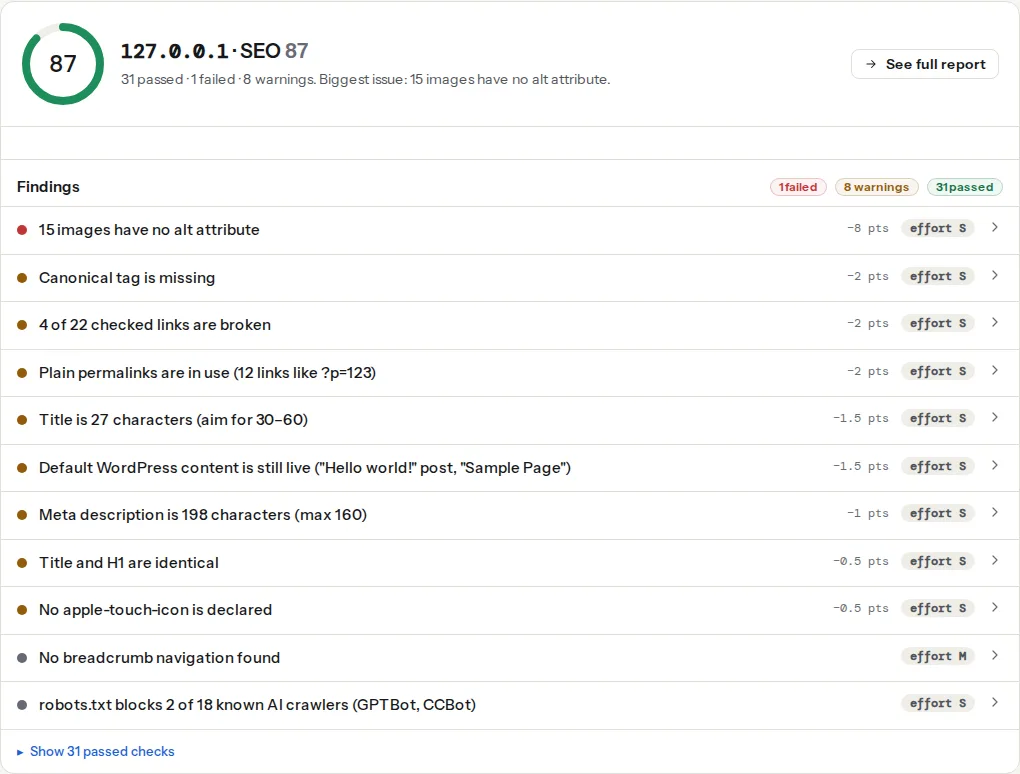
Run the audit on a paginated page, not on page 1: paste `/shoes/page/2/`. Three findings in the SEO panel tell the story. The pagination finding appears only when the page carries a `rel="prev"` or `rel="next"` on a `` or an ``; it is informational with no weight, and its technical detail prints both targets so you can see that they point at the neighbouring pages and not at page 1 or at the category with a parameter.
> **Check: Pagination links are in place.** rel="prev" and rel="next" mark this page as part of a series. Google no longer uses them for indexing, but browsers and other search engines still read them, and they do no harm.
>
> 1. Keep them if your CMS emits them; make sure each paginated page also has its own canonical URL and links to the next page in the HTML.
> **Check: Canonical tag is present.** Without a canonical URL, search engines may index duplicate versions of this page (with and without trailing slash, with UTM parameters) and split its ranking signals.
>
> 1. Add in .
> 2. In WordPress, Yoast or Rank Math add this automatically — check it is not disabled for this page.
> **Check: The page is not set to noindex.** A noindex directive tells Google to drop this page from search results. Unless that is intended, every visit from search is lost.
>
> 1. Remove noindex from the robots meta tag and from the X-Robots-Tag header, unless the page should stay out of search.
> 2. In WordPress, untick Settings → Reading → "Discourage search engines" and check the page's SEO plugin settings.
One thing to read yourself: the canonical finding checks that a canonical exists and points at a valid, same-site URL that answers 200. A canonical from page 2 to page 1 passes both, because page 1 is a valid URL on your site. Open the technical detail and compare the canonical URL with the page URL; on a paginated page they must be identical.
## Step by step
### 1. Give every page a real URL
The page number goes in the path (`/shoes/page/2/`) or in a query parameter (`/shoes/?page=2`). Both are fine for Google. What is not fine is a fragment (`/shoes/#page=2`), because everything after `#` is not sent to the server and Google treats all fragment URLs as the same page. Also avoid encoding the page in a POST or in a cookie: a crawler cannot reproduce either.
### 2. Self-referencing canonical on every page
```html
```
The canonical says "this is the address for this content". Page 2's content is page 2. Point it anywhere else and Google drops the page. This is the single most common pagination mistake we see and the reason to run the audit on page 2 rather than page 1. The general rules are in [Canonical tags explained](https://getreport.app/guides/canonical-tags-explained).
### 3. No noindex on paginated pages
Leave `` alone or set it to `index, follow`. The reason to noindex page 2 used to be "thin, duplicate, no one searches for it". The first two are false (a listing page is not thin content; see [Thin content: when short pages are fine](https://getreport.app/guides/thin-content-when-short-pages-are-fine)), and the third does not matter: nobody needs page 2 to rank; it needs to be crawled so that the 24 products on it get crawled. A `noindex` here costs you those products for no gain.
### 4. Titles and descriptions that name the page
Page 2 is a different page and deserves a different title. Append the page number:
```text
Running shoes – Page 2 of 7 – Example Shop
```
WordPress does this by itself when the theme supports `title-tag`; Yoast's `%%page%%` and Rank Math's `%page%` variables do it explicitly. For the description, either drop it on pages after the first (Google will pick text from the listing) or add the page number to it too. Do not copy page 1's description to every page; the reasons are in [Duplicate titles and descriptions across a site](https://getreport.app/guides/duplicate-titles-and-descriptions-across-a-site).
### 5. Link the pages with ``
At minimum, previous and next as real links. Better, a numbered set that also links the first and last pages, so no page is more than a few hops from page 1:
```html
```
A `